ChatGPT Review 2026: Features, Pricing, GPT-6, Pros & Cons – Is It Worth Using?
Is ChatGPT worth using in 2026? Explore GPT-6, features, pricing, image generation, research tools, privacy, limitations and alternatives in our complete review.

Artificial intelligence has changed how people search for information, write content, learn new skills, develop software, and manage everyday tasks. Among the many AI assistants available today, ChatGPT remains one of the most recognizable and widely used platforms.
Developed by OpenAI, ChatGPT has evolved from a conversational chatbot into a much broader AI workspace. Users can now ask questions, analyze documents, generate images, conduct research, write code, interact through voice, and work with connected applications.
The introduction of GPT-6 and Intelligent UI in 2026 has pushed the experience further. Instead of responding only with traditional text, ChatGPT can now create visual explanations, interactive elements, charts, and task-specific interfaces when appropriate.
But does having so many capabilities actually make ChatGPT the best AI assistant? Is the free version enough? Are the paid subscriptions worth the cost? And how does ChatGPT compare with alternatives such as Google Gemini, Claude, and Perplexity?
In this comprehensive ChatGPT review, we examine its major features, subscription options, practical applications, privacy considerations, strengths, weaknesses, and alternatives. We also look at what users should understand before relying on AI-generated information.
Quick Verdict: ChatGPT is one of the most versatile general-purpose AI assistants available in 2026. Its combination of conversational AI, research capabilities, image creation, coding support, voice interaction, and productivity tools makes it useful across many different workflows. However, occasional inaccurate answers, subscription limitations, and the need for human verification remain important considerations.
ChatGPT at a Glance
Category | Details |
|---|---|
Product | ChatGPT |
Developer | OpenAI |
Product Type | AI Assistant |
Latest generation reviewed | GPT-6 |
Free Version | Yes |
Paid Plans | Go, Plus, Pro, Business and Enterprise |
Web Research | Yes |
Image Generation | Yes |
Voice Interaction | Yes |
File Analysis | Yes |
Coding Assistance | Yes |
Deep Research | Yes |
Supported Platforms | Web, iOS, Android and desktop |
Primary Website | |
Official Developer |
1. What Is ChatGPT?
ChatGPT is an artificial intelligence assistant developed by OpenAI. It uses advanced language and multimodal AI models to understand instructions and generate responses in natural language.
Unlike a traditional search engine, which primarily helps users discover existing webpages, ChatGPT allows users to interact with an AI system through an ongoing conversation.
For example, someone can ask it to explain a complicated subject, rewrite a professional email, summarize a long document, troubleshoot a programming error, or develop a structured business plan.
The platform can also work with different types of information, including text, images, files, and audio, depending on the available model and tools.
One of ChatGPT's biggest advantages is its flexibility. It does not focus on just one professional category. Students, teachers, developers, researchers, business owners, and everyday users can all use the same platform for different purposes.
However, ChatGPT should not be confused with an infallible knowledge database. It can misunderstand instructions, produce inaccurate information, or generate convincing explanations that require independent verification.
2. GPT-6: The Intelligence Behind ChatGPT
The GPT model family powers much of ChatGPT's conversational experience.
In 2026, OpenAI introduced GPT-6 with a significant development: Intelligent UI.
This changes how users can receive information. Rather than forcing every response into a traditional text conversation, ChatGPT can choose a more suitable presentation based on the task.
For example:
A financial calculation can include an interactive calculator.
A comparison can appear in a structured visual layout.
A learning explanation can include diagrams.
A travel plan can include an interactive map.
A practical task can include buttons and interactive controls.
GPT-6 also supports different reasoning levels, depending on subscription eligibility and model availability.
What makes GPT-6 interesting?
More flexible responses: It can combine written explanations with visual and interactive components.
Progressive answers: ChatGPT can begin providing useful information while continuing to reason or gather additional findings.
Task-oriented interaction: Instead of simply explaining how to perform a task, it can sometimes create an interactive experience to help complete it.
Improved model capabilities: GPT-6 is designed to support a wide range of everyday and more demanding knowledge-work tasks.
It is important to understand that GPT-6 availability and specific model options depend on the subscription plan. The Free and Go experiences do not necessarily provide the same model access as paid subscriptions.
Source: OpenAI – GPT-6 and Intelligent UI
https://openai.com/index/gpt-6-for-everyone/
[IMAGE POSITION: Insert a GPT-6 technology illustration showing an AI assistant interface with text, visual elements, interactive charts, and a digital neural network.]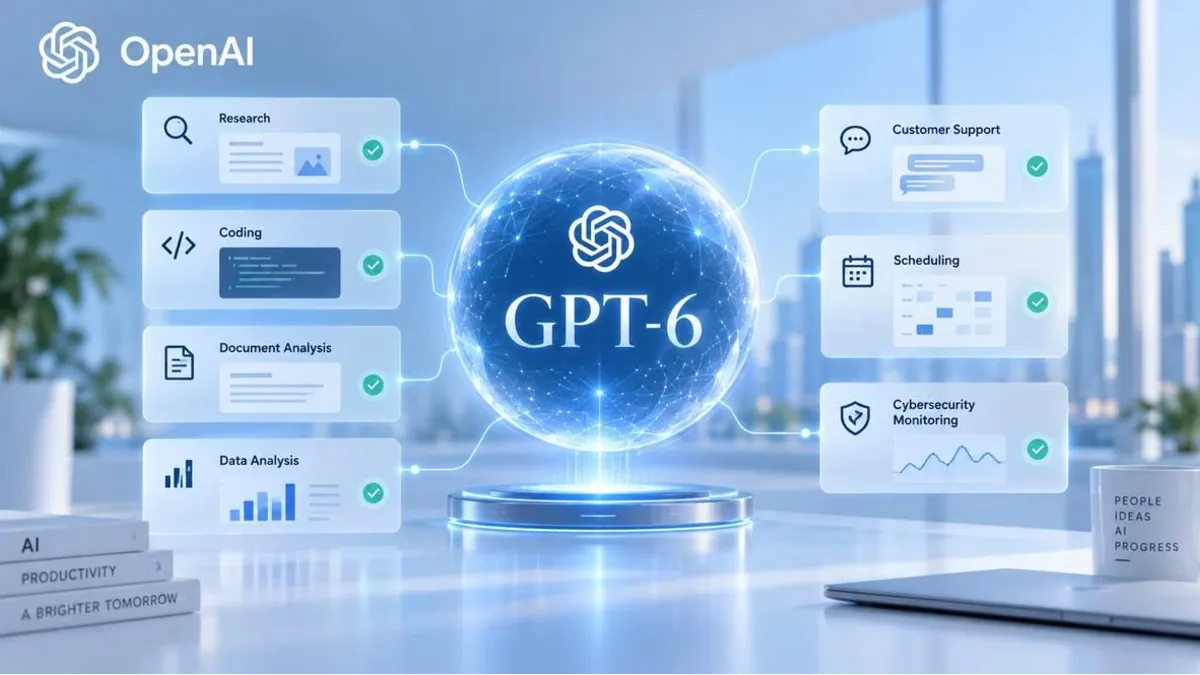
3. ChatGPT Features: What Can It Actually Do?
The most important reason people choose ChatGPT is its broad collection of AI capabilities.
Let's examine the major features individually.
3.1 AI Writing and Content Creation
ChatGPT can help users create, edit, and improve written content.
It can generate:
Blog posts and articles
Professional emails
Product descriptions
Social media captions
Marketing copy
Business proposals
Reports and summaries
Educational explanations
Creative stories
It can also rewrite existing content to improve clarity, structure, tone, and readability.
For website owners and publishers, this can be useful during brainstorming, outlining, editing, and research preparation.
However, publishing AI-generated content without editorial review is not a good strategy. Facts, originality, citations, and usefulness still need human evaluation.
Our assessment: A valuable writing assistant, especially for creating initial drafts and organizing ideas. Its output becomes more useful when combined with human expertise and editorial judgment.
3.2 AI Image Generation and Editing
ChatGPT is no longer limited to written conversations.
Its image-generation capabilities allow users to create illustrations, marketing visuals, conceptual artwork, and other graphics from written descriptions.
Users can also upload existing images and request changes, depending on available image tools.
Typical applications include:
Website banners
Social media graphics
Product concepts
Educational illustrations
Marketing visuals
Background changes
Creative image editing
OpenAI introduced ChatGPT Images 2.6 in November 2026, with improvements in image generation speed and preserving visual details during edits.
GIF creation and reusable reference images are also being introduced through the product's rollout.
However, generated images are not guaranteed to reproduce every detail exactly. Text rendering, complex compositions, and precise editing requirements can still need multiple attempts.
Our assessment: One of ChatGPT's most useful creative capabilities, particularly for users who need both written assistance and visual content in one environment.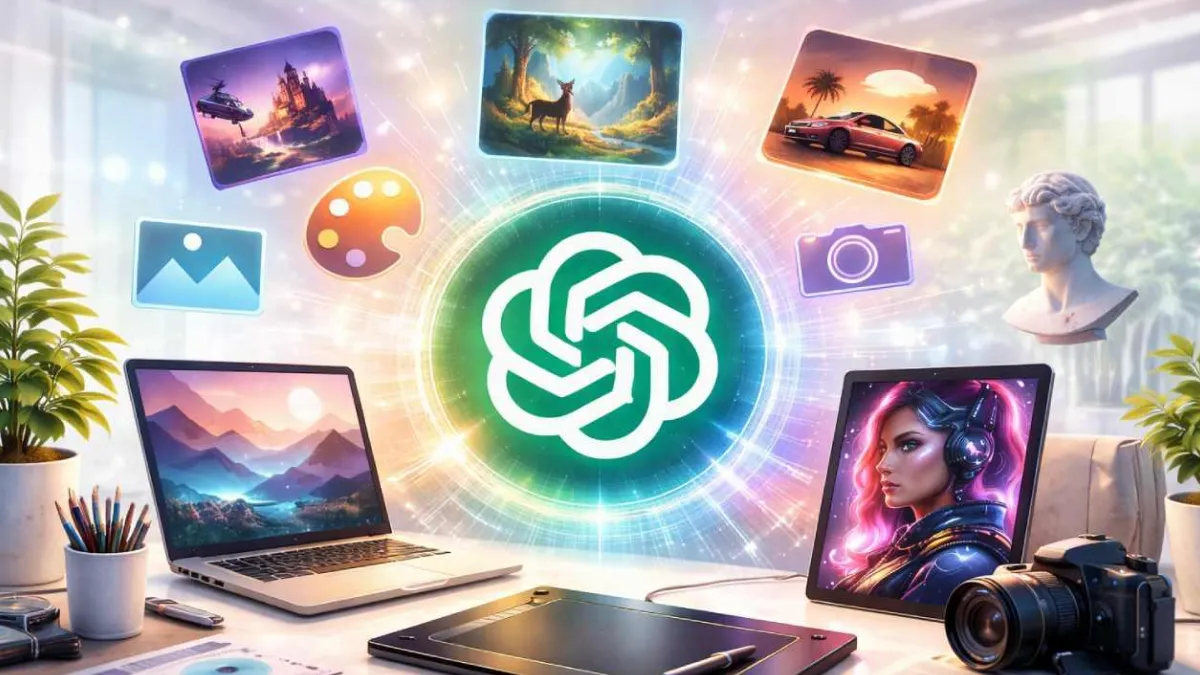
3.3 Web Search and Real-Time Information
Traditional AI responses can become outdated because models do not automatically know every new development.
ChatGPT addresses this limitation through web search.
When web search is available and relevant, it can retrieve information from online sources and present findings with citations.
This is particularly useful for:
Technology news
Product research
Industry developments
Current events
Travel information
General research
Comparing online information
Users should still open the cited webpages and check whether the references genuinely support the claims.
A citation is not automatically proof that every statement is correct.
Our assessment: Useful for discovering and organizing information, but important research should always include source verification.
3.4 Deep Research
Deep Research is designed for questions that require more extensive investigation.
Instead of producing a short answer immediately, it can investigate a topic across multiple sources and organize the findings into a more detailed report.
Potential applications include:
Competitor research
Market analysis
Technology comparisons
Academic research preparation
Industry reports
Product investigations
For example, a business owner researching the AI software market could use Deep Research to organize competing products, compare their features, and identify important differences.
The resulting report still requires review. Source quality, missing information, and conflicting claims should be checked before using the findings professionally.
3.5 Voice Conversations
ChatGPT also supports voice-based interaction.
Rather than typing every question, users can speak to the assistant and receive spoken responses.
This can be useful when:
Practicing a new language
Learning through conversation
Brainstorming ideas
Asking questions while multitasking
Practicing interviews
Getting explanations without reading long responses
Available voice experiences and limits vary by plan and platform.
Voice interaction makes ChatGPT more accessible for people who prefer speaking instead of typing.
3.6 File Uploads and Data Analysis
ChatGPT can work with supported files, allowing users to ask questions about information contained in documents and datasets.
Depending on available tools and file formats, it can help with:
Summarizing PDF documents
Reviewing spreadsheets
Extracting important information
Organizing research data
Identifying patterns
Creating charts
Explaining numerical results
For example, a small business owner could upload a sales spreadsheet and request a breakdown of monthly revenue.
However, numerical outputs should be checked against the original data, particularly when financial or business decisions depend on them.
3.7 Coding and Software Development
ChatGPT can assist with many stages of software development.
It can explain programming concepts, generate code examples, identify potential errors, suggest improvements, and help developers understand unfamiliar codebases.
Common supported development activities include:
HTML and CSS
JavaScript
React
Python
SQL
API development
Debugging
Code documentation
Software architecture discussions
OpenAI's Codex ecosystem extends coding assistance into more substantial development workflows.
Developers can use AI to accelerate repetitive tasks, explore solutions, and review implementation ideas.
However, AI-generated code is not automatically production-ready. Security vulnerabilities, incorrect assumptions, dependency problems, and performance issues still require testing.
3.8 Memory and Personalization
ChatGPT can use memory to make conversations more relevant over time.
When enabled, it can retain useful context and preferences to reduce the need for users to repeat the same information.
For example, a user working on a long-term project may benefit from having relevant project context available in future conversations.
Memory is optional and can be managed through account settings.
Users who prefer a conversation that is not added to normal chat history can use Temporary Chat.
Temporary conversations are not used to improve OpenAI models while they remain temporary, although a copy may be retained for up to 30 days for safety purposes.
3.9 ChatGPT Work and Productivity
ChatGPT is increasingly designed to help with work that involves more than answering individual questions.
ChatGPT Work can support longer, multi-step workflows involving research, files, supported connected applications, and browser-based tasks.
Depending on access and permissions, it can help prepare documents, analyze information, navigate supported websites, and produce more complete work products.
This is a meaningful difference between a basic chatbot and an AI productivity environment.
However, users should review actions, permissions, and final outputs before relying on them.
3.10 Plugins and Connected Applications
ChatGPT supports connections to external services through available plugins and integrations.
Depending on account eligibility and available integrations, these connections can help users work with information and services outside the main chat interface.
For example, a connected application might help retrieve information from a supported service or perform an authorized action.
Users should always check the permissions requested by an integration and understand what information will be shared.
4. ChatGPT Pricing: Free vs Go vs Plus vs Pro
ChatGPT offers several subscription options.
The free version provides access to the service without requiring a paid subscription, while paid plans expand access to models, tools, and usage allowances.
The following table summarizes the main individual plans.
Plan | Price Reference | Best For |
|---|---|---|
Free | $0 | Everyday AI assistance |
Go | $8/month US reference | More everyday usage |
Plus | $20/month US reference | Advanced productivity |
Pro 100 | $100/month | Intensive AI workflows |
Pro 200 | $200/month | Higher usage requirements |
Pro 500 | $500/month | Maximum eligible Pro access |
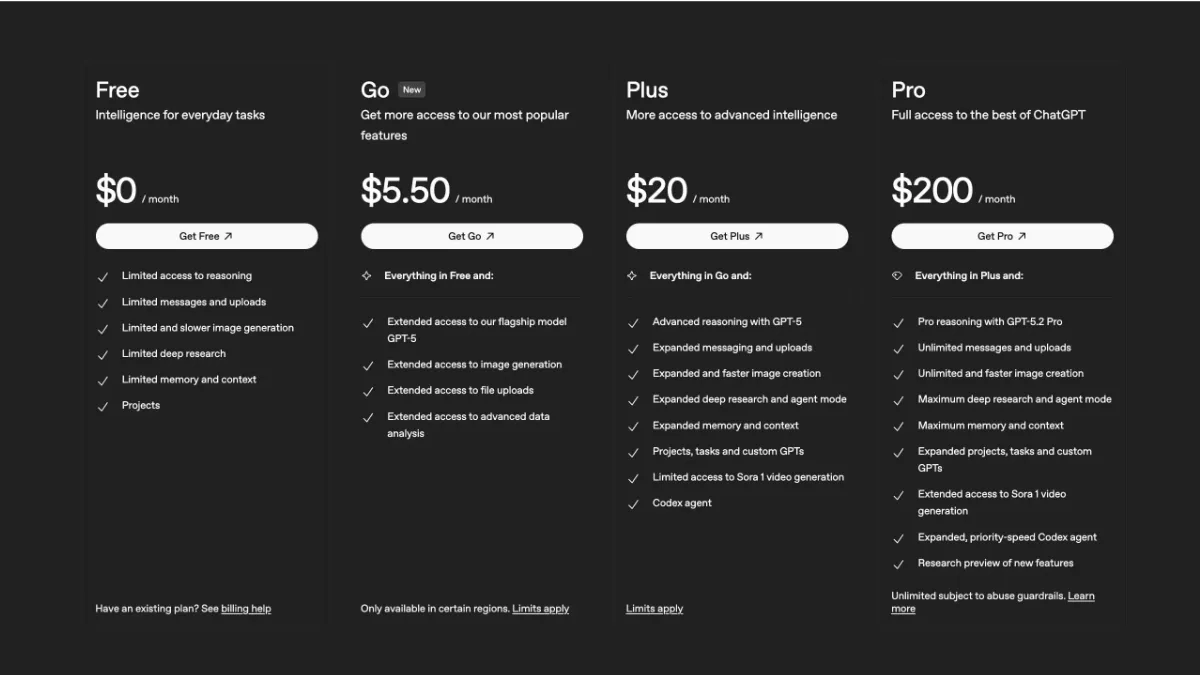 Prices and availability can vary by country, billing platform, and subscription eligibility. Check the official pricing page before purchasing.
Free Plan
The Free plan is suitable for people who want to explore ChatGPT without paying.
It provides access to everyday conversations, with limited availability of certain advanced features.
Advantages:
No subscription cost
Useful for everyday questions
Access to supported AI tools
Suitable for learning and experimentation
Limitations:
Usage restrictions
Limited access to certain tools
Reduced access to advanced models
Limits on uploads, image creation, and research
Go Plan
Go is designed for users who want more access than the Free plan without moving to a higher-priced subscription.
It expands access to features such as messages, uploads, image creation, voice, and memory.
It may include advertisements.
Plus Plan
Plus is intended for users who need more advanced capabilities and higher usage allowances.
It includes expanded access to advanced reasoning, image creation, Deep Research, memory, projects, scheduled tasks, Codex, and ChatGPT Work.
For frequent users, it can offer a more complete productivity experience.
Pro Plan
Pro targets people with more demanding AI requirements.
Different Pro tiers provide different usage allowances and access to advanced capabilities.
Pro can be particularly relevant for users who regularly perform extensive research, coding, or multi-step professional workflows.
Business and Enterprise
OpenAI also offers organizational subscriptions.
These plans are designed for teams and larger organizations that need business-oriented administration, collaboration, security, and workspace management.
Their availability, pricing, and feature access differ from individual subscriptions.
Our recommendation: Start with Free if you are new to ChatGPT. Consider Go or Plus if you regularly reach usage limits. Choose Pro only when your workload genuinely benefits from its additional capabilities.
Official pricing: https://chatgpt.com/pricing/
[IMAGE POSITION: Insert a clean ChatGPT subscription comparison graphic showing Free, Go, Plus, and Pro plans.]
5. ChatGPT for Different Types of Users
ChatGPT's broad feature set makes it relevant to several different user groups.
Students and Teachers
Students can use ChatGPT to understand difficult subjects, create study outlines, practice languages, and receive explanations.
Teachers may use it to develop lesson plans, generate practice questions, and organize educational materials.
However, students should not submit AI-generated work as their own where academic rules prohibit it.
Bloggers and Content Creators
Content creators can use ChatGPT for:
Topic brainstorming
Article outlines
Headline ideas
Content editing
Research organization
Social media planning
It is most useful as an editorial assistant rather than a replacement for original reporting and expertise.
Developers
Developers can use ChatGPT to understand code, troubleshoot errors, explore implementation options, and accelerate repetitive programming work.
Complex code still needs testing and security review.
Small Business Owners
Small businesses can use ChatGPT to draft communications, organize information, prepare marketing ideas, and analyze supported business data.
It may help reduce repetitive work, but business owners should maintain human oversight of important decisions.
Researchers and Professionals
Researchers can use its search and research tools to identify sources, organize information, and prepare initial reports.
Professionals can use it to summarize documents, draft reports, and improve productivity.
Sensitive professional information should only be shared when the relevant privacy and organizational policies allow it.
6. ChatGPT Pros and Cons
No AI assistant is perfect. ChatGPT has several important advantages, but users should also understand its limitations.
Pros
Versatile AI assistant: Supports many different everyday and professional tasks.
Easy to use: Natural-language interaction makes it accessible to beginners.
Powerful writing support: Helps draft, rewrite, summarize, and organize content.
Multimodal capabilities: Works with supported text, image, audio, and file workflows.
Research tools: Search and Deep Research can help organize information from multiple sources.
Image generation: Useful for creative projects and visual content.
Coding assistance: Helps developers explore, explain, and troubleshoot code.
Flexible subscriptions: Users can choose between free and paid options.
Cons
Occasional inaccurate answers: ChatGPT can generate convincing but incorrect information.
Usage limits: Some features and advanced models have subscription-dependent restrictions.
Privacy considerations: Users need to understand data settings before sharing sensitive information.
Variable output quality: Results can differ depending on the task, prompt, and selected model.
Human verification required: AI-generated research, calculations, and code should be checked.
Subscription costs: Advanced access can become expensive for individual users.
7. ChatGPT vs Google Gemini vs Claude vs Perplexity
ChatGPT competes with several established AI assistants.
However, comparing these products using only one overall ranking can be misleading. Their strengths, integrations, and workflows differ.
Platform | Main Strength | Potential Limitation |
|---|---|---|
ChatGPT | Broad AI productivity ecosystem | Some advanced features require subscriptions |
Google Gemini | Google ecosystem integration | Experience depends on Google's product and plan ecosystem |
Claude | Writing and document-focused workflows | Different feature availability and usage limits |
Perplexity | Source-oriented AI search | Less focused on being a complete general-purpose workspace |
ChatGPT
ChatGPT is a strong all-round option for people who want writing, image generation, research, voice, coding assistance, and productivity tools in one environment.
Its broad feature ecosystem is a major advantage.
Google Gemini
Gemini is particularly relevant for people who regularly use Google services.
Its integration with Google's ecosystem can make it attractive for workflows involving Gmail, Google Drive, Docs, and other supported services.
Claude
Claude is another important competitor, especially for users focused on writing, document analysis, and coding workflows.
It may be a better fit for some users depending on their preferred writing style and project requirements.
Perplexity
Perplexity is particularly focused on AI-assisted search and source discovery.
It can be useful for users who prioritize finding and organizing information from online sources.
Which One Should You Choose?
There is no universal winner.
Choose ChatGPT if you want a versatile assistant that combines multiple AI tools.
Choose Gemini if Google's ecosystem is central to your workflow.
Choose Claude if its writing, analysis, or coding experience better suits your work.
Choose Perplexity if your main priority is source-oriented information discovery.
The best choice depends on the tasks you perform, the quality of results you need, and the subscription limits you can accept.
8. Privacy and Security: Is ChatGPT Safe to Use?
Privacy is an important consideration when using any AI service.
ChatGPT provides several privacy and data controls, but users should understand how these controls work.
OpenAI offers options to manage whether eligible personal conversations can be used to improve its models.
Users can also access Temporary Chat, manage memory, review connected applications, and request data exports or deletion where available.
For personal accounts, users can turn off the Improve the model for everyone setting through Data Controls.
Temporary Chats do not appear in normal chat history and are not used to improve OpenAI models while they remain temporary. OpenAI may retain a copy for up to 30 days for safety purposes.
OpenAI also states that it does not sell users' data or share their conversations with advertisers or marketing partners.
However, this does not mean users should upload every type of personal or confidential information.
Practical Privacy Recommendations
Review Data Controls before using ChatGPT regularly.
Avoid entering passwords or confidential authentication details.
Do not upload sensitive business documents without authorization.
Review permissions before connecting external applications.
Use Temporary Chat when you do not want a conversation saved in normal history.
Verify important privacy and retention requirements for your account type.
Our assessment: ChatGPT provides meaningful privacy controls, but responsible usage is still essential. Users should understand the difference between personal and managed business accounts.
Official resources:
https://help.openai.com/en/articles/7730893-data-controls-in-chatgpt
https://help.openai.com/en/articles/8914046-temporary-chat-in-chatgpt
[IMAGE POSITION: Insert a cybersecurity-themed illustration showing an AI interface, a digital shield, and protected personal data.]
9. Is ChatGPT Accurate and Reliable?
Accuracy is one of the most important factors when evaluating an AI assistant.
ChatGPT can provide useful explanations and organize complicated information, but it does not guarantee that every answer is correct.
It may sometimes:
Misinterpret a question.
Present outdated information.
Generate incorrect references.
Make calculation mistakes.
Produce code with errors.
Overlook important context.
These problems are especially important when users depend on AI for medical, legal, financial, technical, or other consequential decisions.
A good approach is to treat ChatGPT as an assistant rather than an unquestionable authority.
For important questions, ask for sources, open the original references, compare independent information, and consult qualified professionals where appropriate.
This approach makes AI more useful while reducing the risks of relying on unsupported answers.
10. Is ChatGPT Worth It in 2026?
For many people, ChatGPT can be a valuable productivity tool.
Its biggest advantage is not simply that it can answer questions. It can support multiple stages of a task, from brainstorming and research to drafting, analysis, and organizing the final output.
A student may use it to understand a difficult topic.
A developer may use it to troubleshoot code.
A content creator may use it to plan an article.
A business owner may use it to organize reports and draft communications.
These are very different tasks, but they can all happen within the same AI environment.
However, whether a subscription is worth paying for depends on usage.
Casual users may find the free plan sufficient. Regular users may benefit from Go or Plus. Professionals with demanding workflows may find higher-tier plans more relevant.
The important thing is to evaluate the actual benefits rather than purchasing the most expensive plan simply because it offers more features.
11. Frequently Asked Questions About ChatGPT
Is ChatGPT free?
Yes. ChatGPT has a free subscription option. Some advanced features, higher usage allowances, and model access require paid plans.
Who developed ChatGPT?
ChatGPT was developed by OpenAI, an artificial intelligence research and deployment company.
What is GPT-6?
GPT-6 is a generation of OpenAI models used in ChatGPT. It supports advanced conversational experiences and Intelligent UI, which can combine text, visuals, and interactive elements.
Can ChatGPT generate images?
Yes. ChatGPT includes image-generation and editing capabilities, with availability and limits depending on the account and subscription.
Can ChatGPT search the internet?
Yes. ChatGPT can use web search when available to retrieve current information and provide source links.
Is ChatGPT better than Google Gemini?
Neither is universally better. ChatGPT offers a broad AI productivity ecosystem, while Gemini can be particularly attractive to people who use Google's services extensively.
Is ChatGPT safe for personal use?
It offers privacy and data controls, but users should avoid sharing sensitive information unnecessarily and review their account settings.
Can ChatGPT write code?
Yes. It can explain programming concepts, generate code, identify potential errors, and assist with software development. Generated code should always be tested.
Is ChatGPT useful for businesses?
Yes. It can assist with writing, research, data analysis, document preparation, and supported business workflows. Organizations should evaluate security, administration, and data policies before deployment.
Does ChatGPT always provide accurate answers?
No. It can generate inaccurate or outdated information. Important answers should be independently verified.
What are the best ChatGPT alternatives?
Popular alternatives include Google Gemini, Claude, and Perplexity. Each offers different strengths and workflows.
Is ChatGPT worth paying for?
It depends on how frequently you use it and which features you need. The Free plan is a good starting point, while paid plans may offer greater value for regular or professional use.
12. Final Verdict: Should You Use ChatGPT?
ChatGPT has developed into much more than a conventional chatbot.
Its combination of conversational AI, GPT-6, image generation, web research, voice interaction, file analysis, coding assistance, and productivity features makes it a compelling option for a wide range of users.
Its greatest strength is versatility. Rather than requiring a separate tool for every small task, users can accomplish many different activities within one platform.
Nevertheless, its limitations should not be ignored. AI-generated information can be inaccurate, usage restrictions vary between subscriptions, and privacy settings deserve attention.
ChatGPT is not a replacement for human expertise, professional judgment, or independent verification. It is most valuable when used as a tool that helps people work more efficiently while keeping them responsible for the final decisions.
Our Final Recommendation: ChatGPT is worth trying, particularly if you want an all-purpose AI assistant for learning, writing, research, creative work, and productivity. Start with the Free plan, identify which capabilities you actually use, and upgrade only when the additional access provides clear value.
SamReview Final Rating
Evaluation Area | Editorial Assessment |
|---|---|
Ease of Use | 9.5/10 |
Feature Variety | 9.5/10 |
Writing Assistance | 9.0/10 |
Research Capabilities | 9.0/10 |
Image Creation | 9.0/10 |
Coding Assistance | 9.0/10 |
Privacy Controls | 8.0/10 |
Value for Money | 8.5/10 |
Overall Editorial Rating: 9.0/10
Rating methodology: These are SamReview's qualitative editorial assessments of documented product capabilities, usability, breadth, limitations, and available user feedback. They are not controlled laboratory benchmark scores.
About This Review
This article was prepared by the SamReview Editorial Team using OpenAI product documentation, independent technology coverage, published user feedback, and publicly available product information checked on November 16, 2026.
Pricing, features, model availability, and usage limits may change. Readers should consult the official ChatGPT website for the latest information.
Editorial Policy: SamReview does not use affiliate links in this review. Our goal is to provide useful, balanced, and transparent information to help readers make informed decisions.
Have a Suggestion or Found Something to Improve?
We value your feedback. If you have a suggestion, noticed an error, found outdated information, or think something should be added to this review, please let us know.
Your feedback helps us keep our reviews accurate, useful, and up to date.
Have a suggestion? Share it with us!
Send Us Your Feedback
✍️ More from Nil Ratan Karmakar

How to Use ChatGPT for Free (2026): Complete Beginner's Guide
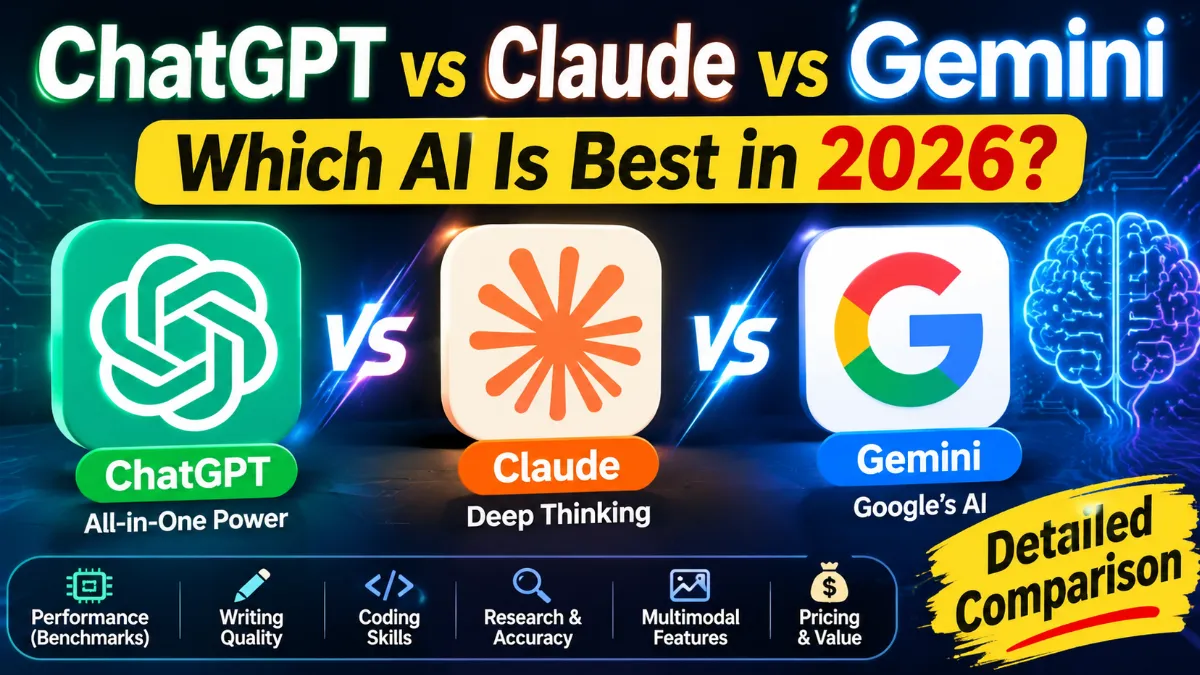
ChatGPT vs Claude vs Gemini: Which AI Is Best in 2026?
Claude AI Review 2026: Features, Pricing, Claude Code & Real-World Limitations
Best VPN Services in 2026: NordVPN vs ExpressVPN vs Surfshark vs Proton VPN vs Mullvad
DeepSeek V4.1 Flash Review (2026): Is This 1M-Context AI Model Worth Using?
Reviews & Comments (1)
Great Content
Nil Ratan Karmakar
Nil Ratan Karmakar is a Software Specialist and Senior Reviewer at SamReview. With over 8 years of dedicated experience in the software industry, he specializes in testing and analyzing SaaS platforms, productivity tools, AI software, and mobile applications. Before joining SamReview, Nil worked as a software analyst, where he developed a deep understanding of user experience (UX), software architecture, and performance optimization. He is passionate about helping users find the right software solutions to boost their productivity and workflow. Outside of reviewing software, Nil enjoys exploring new tech trends and contributing to open-source projects.
Read Next
View All →
Best Laptops for Programming in 2026: Black Friday Deals, Prices & Reviews
Find the best laptops for programming in 2026 with Black Friday prices, regular price comparisons, savings, specifications, pros and cons.

Best Budget Laptops Under $500 in 2026
Find the best budget laptops under $500 in 2026. Compare Acer, ASUS, Lenovo and Chromebook options, with pros, cons and buying advice.

Best Laptops for College Students in 2026: 7 Top Picks
Find the best laptops for college students in 2026. Compare MacBooks, Windows laptops and Chromebooks for budget, battery life, engineering, and everyday study.

Best Black Friday TV Deals 2026: 7 TVs Worth Buying, Reviews
Find the best Black Friday TV deals 2026. Compare LG, Samsung and Sony OLED, QLED and Mini LED TVs, prices, pros, cons and buying options.