Best Laptops for Programming in 2026: Black Friday Deals, Prices & Reviews
Find the best laptops for programming in 2026 with Black Friday prices, regular price comparisons, savings, specifications, pros and cons.

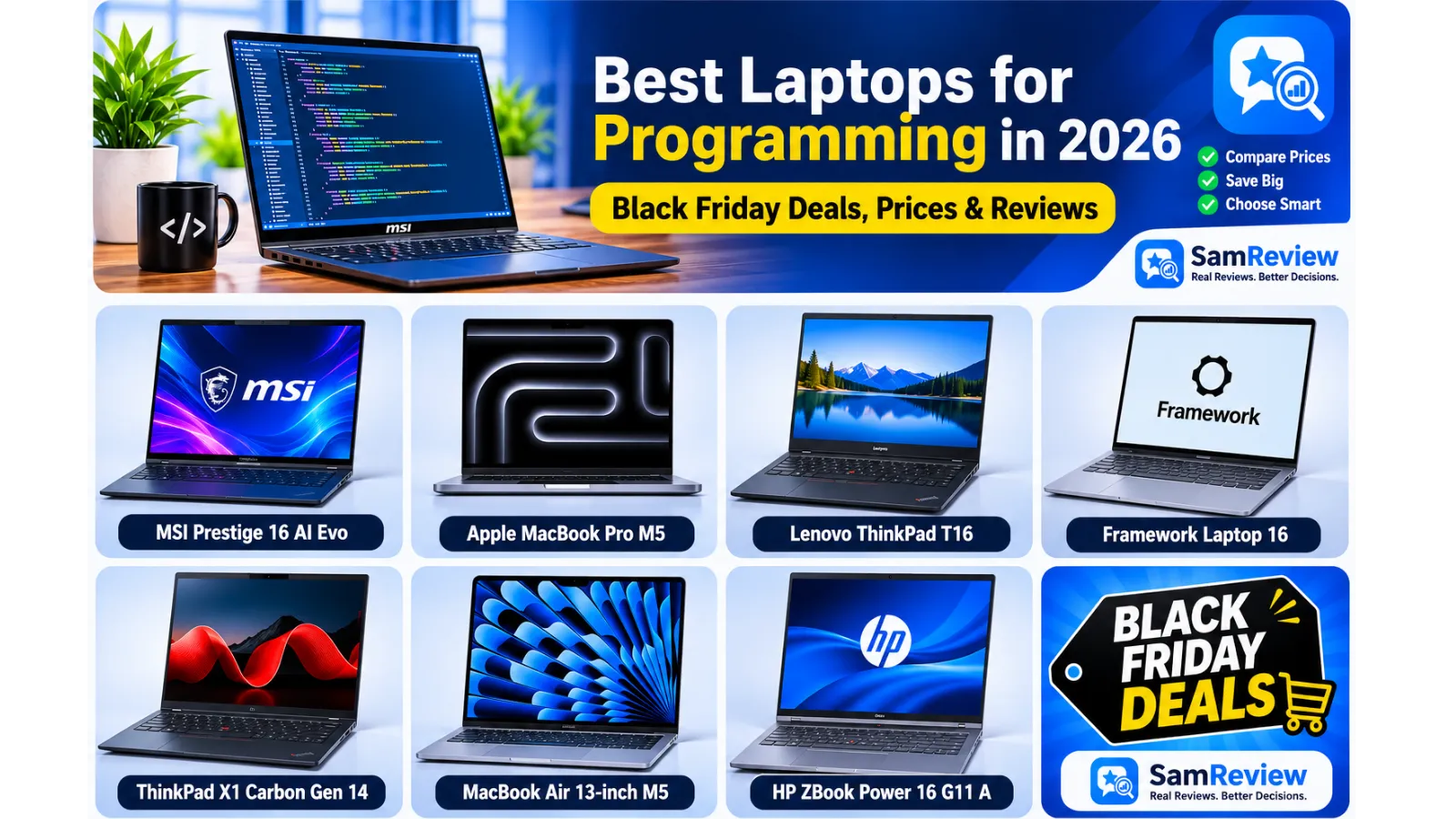
Best Laptops for Programming in 2026: Black Friday Deals, Prices & Reviews
Choosing the right laptop for programming in 2026 is about more than processor speed. Developers need enough memory for multiple applications, a comfortable keyboard for long coding sessions, a reliable display, good battery life and compatibility with their preferred development tools.
Black Friday can be a good opportunity to save money on a programming laptop. However, not every advertised discount represents a genuinely good deal. Some laptops have different processors, memory configurations or storage capacities across their listings, making direct price comparisons difficult.
This guide compares seven laptops for different programming needs, including Windows development, macOS development, computer science students, professional software engineering and users who value upgradeability.
We also compare available Black Friday offers against their listed or reference prices, calculate the potential savings and identify products for which a matching deal could not be verified.
Price update: November 24, 2026. Prices and availability can change before Black Friday on November 27 and Cyber Monday on November 30.
Quick Answer: Best Programming Laptops in 2026
Category | Recommended Laptop |
|---|---|
Best early Black Friday Windows deal | MSI Prestige 16 AI+ |
Best for professional Apple development | MacBook Pro 14-inch |
Best traditional business laptop | Lenovo ThinkPad T16 Gen 5 |
Best for upgradeability | Framework Laptop 16 |
Best lightweight Windows laptop | ThinkPad X1 Carbon Gen 14 Aura Edition |
Best for students using macOS | MacBook Air 13-inch M5 |
Best workstation-style option | HP ZBook Power 16 G11 A |
Our general recommendation: Choose a laptop with at least 16GB RAM for basic development. For Docker, Android Studio, virtual machines, larger projects and multitasking, 32GB RAM is a more comfortable starting point.
Black Friday 2026: Real Price Comparison
The following prices are based on available listings and published price references checked on November 24, 2026.
Laptop / Configuration | Reference Price | Current Deal Price | Potential Saving | Discount |
|---|---|---|---|---|
MSI Prestige 16 AI+ Panther Lake, 32GB/1TB | $1,799 | $1,199 | $600 | 33.4% |
MacBook Air 13-inch M5, 16GB/512GB | $1,299 | $989 | $310 | 23.9% |
ThinkPad T16 Gen 5, 16GB/512GB | $1,999.86 90-day average | $1,684.99 | $314.87 | 15.7% |
ThinkPad X1 Carbon Gen 14 Aura, 32GB/512GB OLED | $3,013.42 | $2,821.64 | $191.78 | 6.4% |
MacBook Pro 14-inch M5 | No matching deal verified | — | — | — |
Framework Laptop 16 | No matching deal verified | — | — | — |
HP ZBook Power 16 G11 A | No matching deal verified | — | — | — |
Important pricing clarification:
The MSI deal is for the newer MSI Prestige 16 AI+ with Intel Core Ultra X7 358H, 32GB RAM and 1TB SSD. It is not the same configuration as the previously discussed Prestige 16 AI+ Evo with Core Ultra 7 256V and 16GB RAM.
The MacBook Air offer is for the 13-inch M5 with 16GB unified memory and 512GB SSD. Its reported reference price is $1,299.
The ThinkPad T16 comparison uses a reported 90-day average, not a confirmed manufacturer's Black Friday MSRP.
The ThinkPad X1 Carbon price comparison is from a Microless listing and should not be treated as a US Amazon or US manufacturer deal.
No matching Black Friday price has been verified for the MacBook Pro, Framework Laptop 16 or HP ZBook configuration in this comparison.
A discount percentage is calculated as:
(Reference Price − Deal Price) ÷ Reference Price × 100
The reference price may be a retailer's listed price or a historical average, depending on the available evidence. It should not automatically be interpreted as the manufacturer's original MSRP.
1. MSI Prestige 16 AI+
Best for: Developers who want a powerful large-screen Windows laptop.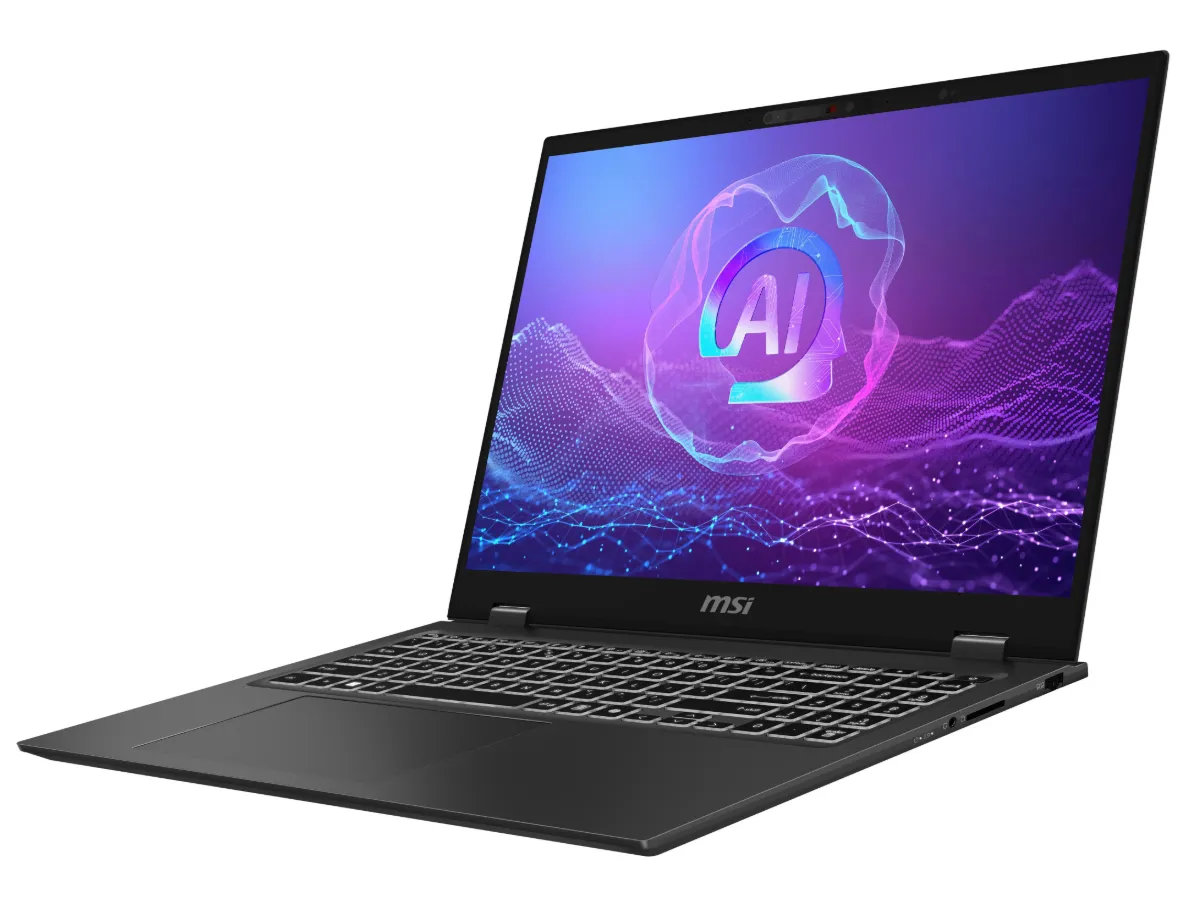
The MSI Prestige 16 AI+ is one of the more interesting early Black Friday offers for developers who prefer Windows.
The discounted configuration features Intel's newer Panther Lake platform, 32GB of memory and a 1TB SSD. That combination makes it more attractive for development multitasking than many entry-level 16GB configurations.
It is important to distinguish this model from the older MSI Prestige 16 AI+ Evo configuration. They are not identical machines.
Key Specifications
Processor: Intel Core Ultra X7 358H
Memory: 32GB
Storage: 1TB SSD
Display: 16-inch 2.8K OLED, 120Hz in the reported offer
Operating System: Windows
Best use: Web development, general software development, productivity and multitasking
Black Friday Price Comparison
Price Detail | Amount |
|---|---|
Listed reference price | $1,799 |
Current early Black Friday price | $1,199 |
Total saving | $600 |
Discount | 33.4% |
<image: MSI Prestige 16 AI+ laptop display and keyboard>
Pros
32GB RAM is useful for multitasking.
1TB SSD provides practical storage capacity.
Large OLED display provides a spacious workspace.
Modern Intel processor platform.
Strong value at the reported promotional price.
Cons
Battery life and chassis temperatures are potential compromises.
Not every Prestige 16 model has the same specifications.
A dedicated GPU may be preferable for CUDA-based development.
The offer may sell out or change before Black Friday.
Who Should Buy It?
Developers who use Windows, web development tools, multiple applications and moderate development workloads should consider this configuration.
Who Should Skip It?
Developers who need long battery life above all else or rely on NVIDIA CUDA should compare other options.
SamReview verdict: At the reported $1,199 price, this is an attractive early Black Friday deal. The 32GB memory and 1TB SSD make it particularly interesting for developers who need more than basic coding performance.
Deal status: Early Black Friday offer reported. Verify the exact model and seller before purchasing.
2. Apple MacBook Pro 14-inch M5
Best for: Professional developers working in the Apple ecosystem.
The MacBook Pro is a strong choice for developers who use macOS and need a premium laptop for software development.
Apple's silicon platform combines CPU, GPU and memory architecture designed for efficient performance. The MacBook Pro is particularly relevant for developers working with Xcode, iOS applications, macOS software, web development and cross-platform tools that support macOS.
The M5, M5 Pro and M5 Max configurations are different performance tiers. They should not be treated as interchangeable.
Key Specifications
Processor: Apple M5, with higher-tier M5 Pro and M5 Max options in the product family
Memory: Configuration-dependent unified memory
Storage: Configuration-dependent SSD
Display: 14-inch Liquid Retina XDR display
Operating System: macOS
Best use: iOS development, macOS development, web development and professional productivity
Price Comparison
Price Detail | Amount |
|---|---|
Apple M5 14-inch starting reference | $1,599 |
Matching Black Friday price | Not verified |
Confirmed saving | Not available |
Discount | Not verified |
Some early MacBook Pro promotions have been reported for higher-tier M5 Pro and M5 Max configurations. Those are different configurations and should not be used as the discount price for the base M5 model.
Pros
Strong performance for supported development workloads.
Excellent display quality.
Well-integrated macOS development environment.
Good battery efficiency.
Premium build quality and trackpad.
Suitable for professional iOS and macOS development.
Cons
Higher configurations can become expensive.
Memory and internal storage are not user-upgradeable.
Some Windows-only development tools require alternative workflows.
Not the ideal choice for every CUDA-based development workload.
Repair and upgrade flexibility is limited compared with modular laptops.
Who Should Buy It?
Developers building iPhone, iPad and Mac applications should consider the MacBook Pro. It is also suitable for professional web developers and programmers who prefer macOS.
Who Should Skip It?
Choose a Windows or Linux laptop if your workflow depends on specific Windows-only applications, upgradeable memory or NVIDIA CUDA development.
SamReview verdict: A premium choice for Apple-focused developers, but we cannot currently confirm a matching Black Friday discount for the base 14-inch M5 configuration.
Deal status: No matching Black Friday price verified.
3. Lenovo ThinkPad T16 Gen 5
Best for: Traditional business users and developers who prioritise keyboard comfort and practical connectivity.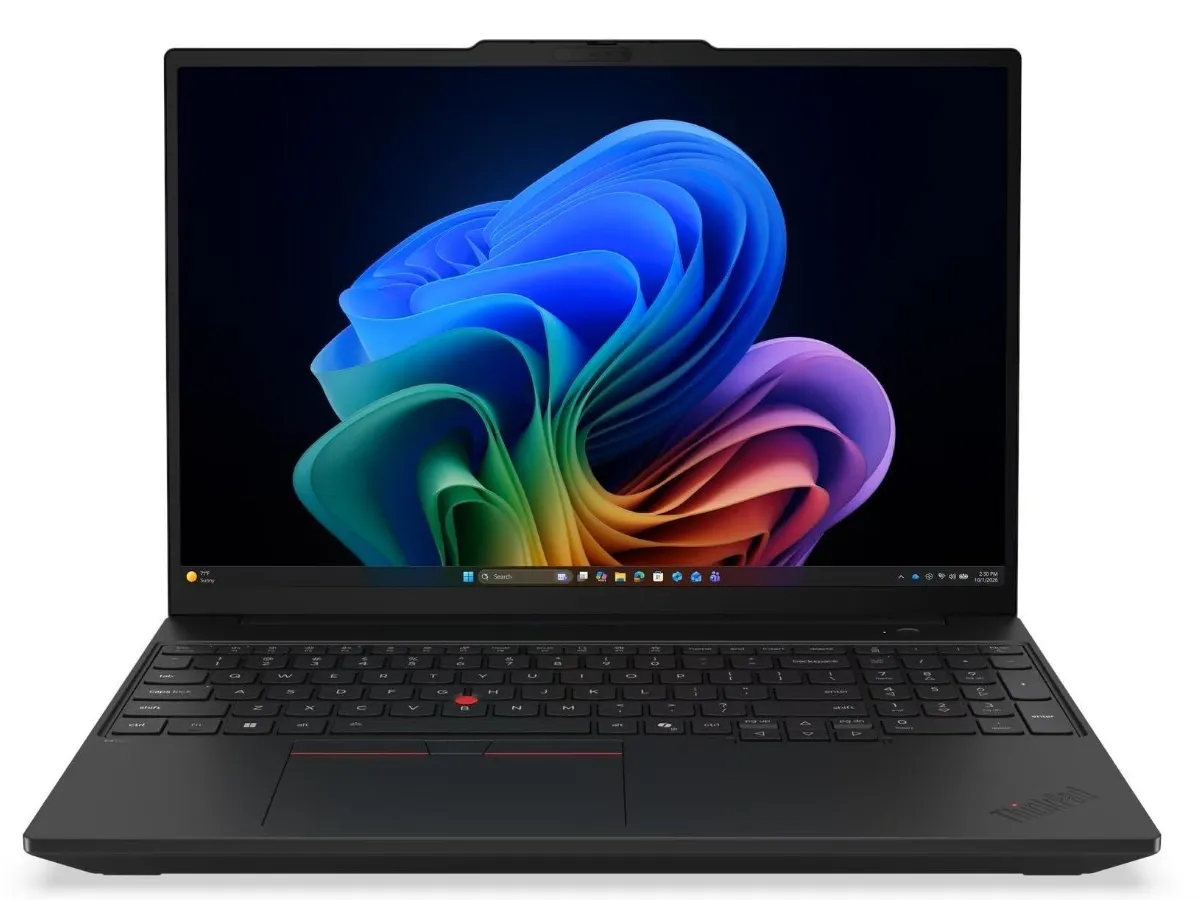
The ThinkPad T16 series is designed for business productivity. Its larger chassis provides a comfortable working area, while the ThinkPad keyboard remains one of the key reasons developers consider this product family.
The T16 Gen 5 is worth considering for developers who spend long hours writing code, managing documentation and working with business software.
Key Specifications
Processor: Configuration-dependent Intel options
Memory: Configuration-dependent; check the exact SKU
Storage: SSD configurations vary
Display: 16-inch display options
Operating System: Windows
Best use: Business development, web development, programming and productivity
Black Friday Price Comparison
A current US deal listing reports the following configuration:
Intel Core Ultra 7 Series 3 355
16GB memory
512GB SSD
16-inch WUXGA display
Price Detail | Amount |
|---|---|
Reported 90-day average | $1,999.86 |
Current listed price | $1,684.99 |
Difference | $314.87 |
Price reduction | 15.7% |
This is a comparison with a historical average, not a confirmed manufacturer MSRP discount. Check the exact model number before comparing it with other T16 configurations.
Pros
Comfortable keyboard for extended typing sessions.
Large display for working with code and documentation.
Business-focused design.
Practical connectivity on many configurations.
Suitable for everyday professional development.
Multiple processor and configuration options.
Cons
Higher configurations can be expensive.
Weight and size are less convenient than ultraportable laptops.
Display quality depends on the selected panel.
16GB RAM may be limiting for demanding development workloads.
Who Should Buy It?
The ThinkPad T16 is a sensible choice for developers who value a traditional business laptop, comfortable typing and a larger screen.
Who Should Skip It?
If portability is your highest priority, consider the ThinkPad X1 Carbon. If you need a highly upgradeable laptop, the Framework Laptop 16 may be a better match.
SamReview verdict: The reported $1,684.99 price is worth comparing against other business laptops. However, the cited configuration has 16GB RAM, so developers using Docker or virtual machines should consider whether a 32GB configuration is worth the extra cost.
Deal status: Current price listing available; discount calculated against a reported 90-day average.
4. Framework Laptop 16
Best for: Developers who value upgradeability, repairability and long-term flexibility.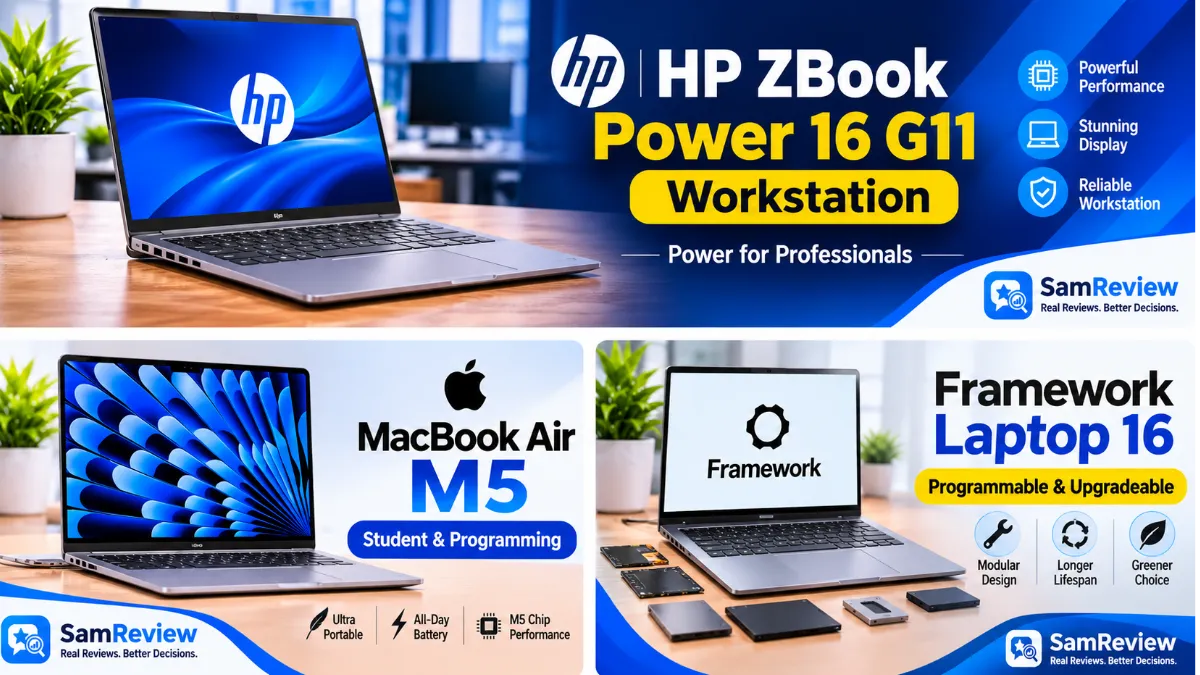
The Framework Laptop 16 stands out because of its modular design. Instead of treating the laptop as a fixed configuration, Framework gives users more control over components and future upgrades.
For developers, this can be especially useful. A machine that starts with a moderate configuration can potentially be upgraded with more memory, storage or graphics hardware later.
The laptop supports two DDR5 SO-DIMM memory slots, with configurations supporting up to 96GB. Graphics options include an optional NVIDIA RTX 5070 Laptop GPU module, depending on the configuration.
Key Specifications
Processor: AMD Ryzen AI 5 340, Ryzen AI 7 350 or Ryzen AI 9 HX 370 options
Memory: Two DDR5 SO-DIMM slots; up to 96GB supported
Storage: Upgradeable SSD
Display: 16-inch, 2560 × 1600, 165Hz, 100% DCI-P3 specification in the referenced configuration
Graphics: Integrated graphics or optional RTX 5070 Laptop GPU module
Operating System: Windows or Linux, depending on installation and configuration
Weight: Approximately 2.1kg without graphics module and around 2.4kg with graphics module
Price Comparison
Price Detail | Amount |
|---|---|
DIY starting reference | $1,249 |
RTX 5070 updated configuration starting reference | $1,499 |
Matching Black Friday deal | Not verified |
Confirmed saving | Not available |
The $1,249 starting price is a DIY starting point, not necessarily the price of a fully equipped laptop ready to use. Memory, storage, operating system and other components can increase the final cost.
Pros
Excellent upgradeability compared with many thin laptops.
Replaceable memory and storage.
Modular design supports repair and component replacement.
High memory capacity for demanding development workloads.
Optional dedicated graphics.
Attractive for developers who want to keep a laptop for longer.
Cons
Fully configured systems can become expensive.
Heavier than most ultraportable laptops.
DIY configurations require more purchasing and setup decisions.
Dedicated graphics increase weight and cost.
Availability and configuration options can vary.
Who Should Buy It?
The Framework Laptop 16 is ideal for developers who value repairability, hardware flexibility and the ability to upgrade memory or graphics over time.
Who Should Skip It?
If you want the lightest possible laptop, a simple out-of-the-box experience or the lowest initial price, a traditional laptop may be more suitable.
SamReview verdict: One of the most interesting choices for developers who care about long-term flexibility. However, we have not verified a specific Black Friday discount for the Framework Laptop 16.
Deal status: No matching Black Friday price verified.
5. Lenovo ThinkPad X1 Carbon Gen 14 Aura Edition
Best for: Developers who need a lightweight Windows laptop for travel and everyday work.
The ThinkPad X1 Carbon series is known for prioritising portability and business productivity. The Gen 14 Aura Edition is a premium option for developers who frequently travel, work remotely or carry their laptop between meetings and workspaces.
Its lightweight design makes it attractive for people who need a full Windows development environment without carrying a heavier workstation.
Key Specifications
Processor: Intel Core Ultra 7 365 in the cited configuration
Memory: 32GB
Storage: 512GB SSD
Display: 14-inch 2.8K OLED in the cited listing
Battery: 58Wh reference specification
Weight: Starts at under 1kg, depending on configuration
Operating System: Windows 11 Pro
Best use: Web development, business software, remote work and travel
Black Friday Price Comparison
The following comparison comes from a Microless Black Friday listing.
Price Detail | Amount |
|---|---|
Listed reference price | $3,013.42 |
Current listed price | $2,821.64 |
Saving | $191.78 |
Discount | 6.4% |
This listing is not a US Amazon price. It is a separate retailer listing, and its delivery charges, taxes and regional warranty conditions may differ.
Pros
Very lightweight design.
Easy to carry for travel and remote work.
Business-oriented keyboard and design.
Suitable for everyday programming and productivity.
32GB RAM in the cited configuration.
Cons
Premium pricing.
Less suitable for graphics-intensive development.
Memory upgrade options are limited.
A thin chassis may not be ideal for sustained heavy workloads.
The listed discount is relatively small.
Who Should Buy It?
Developers who travel regularly and need a lightweight Windows laptop should consider the X1 Carbon.
Who Should Skip It?
Choose a larger workstation or upgradeable laptop if you need sustained high-performance computing, dedicated graphics or extensive hardware upgrades.
SamReview verdict: A premium portability choice, but the currently listed discount is only 6.4%. Compare local manufacturer and retailer prices before purchasing.
Deal status: A retailer Black Friday listing is available; not a confirmed US-wide deal.
6. Apple MacBook Air 13-inch M5
Best for: Students and developers who want a lightweight macOS laptop.
The MacBook Air 13-inch M5 is a suitable option for students, beginners and developers who do not need the additional performance and cooling features of a MacBook Pro.
For web development, learning programming, writing code, working with documentation and general productivity, the Air can be a practical choice.
However, developers should remember that the MacBook Air is a fanless design. Sustained heavy workloads may be better suited to a MacBook Pro.
Key Specifications
Processor: Apple M5
Memory: 16GB unified memory in the cited deal
Storage: 512GB SSD in the cited deal
Display: 13-inch Liquid Retina display
Operating System: macOS
Best use: Learning programming, web development, university work and everyday development
Black Friday Price Comparison
<image: MacBook Air M5 display and keyboard>
Price Detail | Amount |
|---|---|
Reported reference price | $1,299 |
Early Black Friday price | $989 |
Total saving | $310 |
Discount | 23.9% |
This is one of the more attractive early MacBook offers in the current comparison. The deal is for the 16GB/512GB configuration, so check that the retailer listing matches before purchasing.
Pros
Lightweight and portable.
Good battery efficiency.
Suitable for everyday programming.
Comfortable macOS development environment.
High-quality display and trackpad.
More affordable than the MacBook Pro range.
Cons
Fanless design can limit sustained heavy workloads.
Memory and storage cannot be upgraded later.
Not the best option for demanding GPU workloads.
Limited ports compared with many larger Windows laptops.
Higher memory and storage configurations increase the price.
Who Should Buy It?
Students, beginner programmers and developers who mainly work with web technologies, code editors and lightweight tools should consider the MacBook Air.
Who Should Skip It?
If you regularly run multiple virtual machines, large Docker environments, heavy builds or sustained professional workloads, consider the MacBook Pro or a suitable Windows workstation.
SamReview verdict: At the reported $989 price, the MacBook Air M5 is one of the strongest early Black Friday choices for students and everyday developers.
Deal status: Early Black Friday price reported. Verify current stock and exact configuration.
7. HP ZBook Power 16 G11 A
Best for: Developers who need workstation-oriented hardware and professional software compatibility.
The HP ZBook Power series is designed for professional workloads. A configuration with a Ryzen 7 PRO processor, professional NVIDIA graphics and 64GB RAM can be relevant for developers working with data, graphics, engineering software and demanding multitasking.
This model is from an earlier generation than some of the newest laptops in this guide, so buyers should compare its price carefully against newer alternatives.
Key Specifications
Processor: AMD Ryzen 7 PRO 8845HS in the referenced configuration
Graphics: NVIDIA RTX 1000 Ada
Memory: 64GB in the referenced listing
Storage: 512GB SSD in the referenced listing
Display: 16-inch class display
Operating System: Windows
Best use: Professional development, engineering applications and workstation-style workloads
Price Comparison
Price Detail | Amount |
|---|---|
Previously identified retailer listing | $2,499.99 |
Matching Black Friday price | Not verified |
Confirmed saving | Not available |
Discount | Not verified |
Pros
Workstation-oriented product family.
Dedicated professional graphics in the referenced configuration.
64GB RAM is useful for demanding multitasking.
Suitable for some professional engineering and graphics workflows.
More memory than many standard laptop configurations.
Cons
Expensive compared with mainstream programming laptops.
Older-generation configuration.
512GB storage may be limited for large projects.
Not every developer needs professional graphics.
Buyers should compare newer workstation options before purchasing.
Who Should Buy It?
Developers who need professional graphics compatibility, large memory capacity and workstation-oriented hardware may find this configuration useful.
Who Should Skip It?
Most web developers, students and general software engineers do not need to spend this much on a workstation laptop. A less expensive 32GB configuration may provide better value.
SamReview verdict: A specialised option rather than a general recommendation. We could not verify a matching Black Friday discount for this configuration.
Deal status: No matching Black Friday price verified.
Complete Black Friday Laptop Comparison
Laptop | Current Price | Reference Price | Saving | Discount |
|---|---|---|---|---|
MSI Prestige 16 AI+ | $1,199 | $1,799 | $600 | 33.4% |
MacBook Air 13 M5 | $989 | $1,299 | $310 | 23.9% |
ThinkPad T16 Gen 5 | $1,684.99 | $1,999.86 | $314.87 | 15.7% |
ThinkPad X1 Carbon Gen 14 | $2,821.64 | $3,013.42 | $191.78 | 6.4% |
MacBook Pro 14 M5 | Not verified | $1,599 starting reference | — | — |
Framework Laptop 16 | Not verified | $1,249 DIY starting reference | — | — |
HP ZBook Power 16 G11 A | Not verified | $2,499.99 listing reference | — | — |
Which Laptop Offers the Biggest Saving?
MSI Prestige 16 AI+ has the largest reported dollar saving in this comparison: $600.
MacBook Air M5 offers a reported $310 saving and is a more accessible option for students and everyday developers.
ThinkPad T16 Gen 5 shows a $314.87 difference against its reported 90-day average, but that comparison is not the same as a confirmed MSRP discount.
The X1 Carbon's listed discount is comparatively small, and its retailer price should be checked against local offers.
How Much RAM Do You Need for Programming in 2026?
Memory is one of the most important considerations when choosing a programming laptop.
RAM | Suitable Workloads | Recommendation |
|---|---|---|
8GB | Basic learning and very light coding | Not recommended for most new purchases |
16GB | Web development, code editors and everyday multitasking | Practical starting point |
32GB | Docker, Android Studio, multiple IDEs and virtual machines | Recommended for many professional developers |
64GB | Large projects, heavy virtualisation and demanding workloads | For advanced users |
96GB or more | Specialist development and memory-intensive workloads | Only when your software requires it |
Is 16GB Enough for Programming?
Yes, 16GB can be enough for learning programming, basic web development, small projects and general software development.
However, modern development environments can consume significant memory. Running an IDE, browser tabs, local databases, Docker containers and emulators together can make 16GB feel restrictive.
Is 32GB Better?
For many professional developers, 32GB is a more comfortable choice. It gives additional room for multitasking and reduces the need to close applications when working with larger projects.
If your budget allows it, 32GB is a sensible target for a new programming laptop.
Which Processor Is Best for Programming?
There is no single processor that is best for every programming workload.
Intel Core Ultra
Intel Core Ultra processors are available in a range of Windows laptops. They can be suitable for general development, productivity and multitasking.
Check the exact processor generation and model rather than relying only on the Core Ultra name.
AMD Ryzen
AMD Ryzen processors are available in many performance-focused and business laptops. Higher-performance Ryzen options can be useful for compiling, multitasking and development workloads.
Apple M-Series
Apple M-series processors are particularly relevant for macOS development and developers working within the Apple ecosystem.
However, software compatibility matters. Check whether your required tools support Apple silicon natively or need another workflow.
NVIDIA Graphics
Most web developers do not need a dedicated GPU. However, developers working with machine learning, computer vision, GPU computing or certain graphics applications may benefit from NVIDIA hardware.
For CUDA-dependent development, check the exact GPU and software compatibility before purchasing a Mac or a laptop with integrated graphics.
Windows vs macOS vs Linux for Programming
The best operating system depends on your development environment.
Windows
Windows is a flexible choice for general software development, business applications, .NET development, Windows-specific tools and many cross-platform workflows.
Windows Subsystem for Linux (WSL) can also provide a Linux-style development environment for supported workflows.
macOS
macOS is especially relevant for iOS, iPadOS and macOS development because Apple's development ecosystem is built around it.
It is also suitable for web development, command-line tools and many cross-platform technologies.
Linux
Linux is widely used for server development, system programming, DevOps, cloud infrastructure and open-source development.
Framework laptops and many business laptops can be suitable choices for Linux users, but always check hardware and driver compatibility.
Our advice: Choose the operating system that supports the software you need. Do not buy a laptop based only on popularity.
What Should You Check Before Buying a Programming Laptop?
Before purchasing, consider these points:
Memory: Prefer 16GB as a starting point and 32GB for more demanding development.
SSD: A 512GB SSD is a reasonable starting point; 1TB offers more room for projects and tools.
Processor: Choose a current-generation processor appropriate for your workload.
Keyboard: Test the keyboard if possible. You may spend several hours typing every day.
Display: A clear, comfortable display helps when reading code and documentation.
Ports: Check whether you need USB-A, USB-C, HDMI, Ethernet or an SD card reader.
Battery: Consider real-world battery reviews rather than relying only on manufacturer estimates.
Upgradeability: Check whether RAM and storage can be replaced.
Operating system: Confirm that your required IDEs, SDKs and development tools are supported.
Warranty: Check the warranty terms and service availability in your country.
Black Friday price history: Compare the deal with a genuine historical price, not just a crossed-out list price.
Exact configuration: Confirm the processor, memory, storage and display before comparing offers.
Final Verdict: Which Programming Laptop Should You Buy This Black Friday?
The best programming laptop depends on your development workload, operating system preference and budget.
Best reported early deal: MSI Prestige 16 AI+ at $1,199, with a reported $600 saving. Confirm that the 32GB/1TB Panther Lake configuration is the one being sold.
Best student deal: MacBook Air 13-inch M5 at $989, with a reported $310 saving.
Best traditional business option: Lenovo ThinkPad T16 Gen 5 at $1,684.99, compared with a reported 90-day average of $1,999.86.
Best for portability: ThinkPad X1 Carbon Gen 14 Aura Edition, although its listed discount is only 6.4%.
Best for Apple professionals: MacBook Pro 14-inch M5, but a matching Black Friday deal was not verified.
Best for upgradeability: Framework Laptop 16, but a matching Black Friday discount was not verified.
Best workstation option: HP ZBook Power 16 G11 A, but a matching Black Friday discount was not verified.
Our Overall Recommendation
For most developers, a laptop with a modern processor, 32GB RAM and a 1TB SSD is a balanced long-term target.
If you mainly build websites or learn programming, you may not need an expensive workstation. If you work with containers, virtual machines, mobile emulators or large projects, investing in more memory can make a meaningful difference.
For buyers looking for an early Black Friday deal, the MSI Prestige 16 AI+ and MacBook Air M5 are the most interesting offers in this comparison based on the reported prices.
However, do not buy a laptop simply because a retailer advertises a large discount. Compare the exact configuration, historical price, warranty and return policy before ordering.
Frequently Asked Questions
1. What is the best laptop for programming in 2026?
There is no single best laptop for every developer. The MSI Prestige 16 AI+ is an interesting Windows option, the MacBook Pro 14-inch is suitable for Apple development, and the Framework Laptop 16 is attractive for upgradeability.
2. Which programming laptop has the best Black Friday deal?
Based on the reported November 24 prices in this guide, the MSI Prestige 16 AI+ has the largest dollar saving at $600. The MacBook Air M5 is another attractive option, with a reported $310 saving.
3. Is 16GB RAM enough for coding?
16GB is enough for many basic programming tasks, including web development and learning to code. For Docker, Android Studio, virtual machines and heavy multitasking, 32GB is a better target.
4. Is a MacBook good for programming?
Yes. MacBooks are suitable for web development, software development and Apple's own application ecosystem. A MacBook is particularly useful for iOS and macOS development. However, check compatibility if your work depends on Windows-only software or CUDA.
5. Is Windows or macOS better for programming?
Both are capable development platforms. Windows offers broad compatibility with Windows software and supports WSL. macOS is essential for Apple's native development workflow. Choose based on your tools and projects.
6. Do programmers need a dedicated graphics card?
Most web developers and general software engineers do not need a dedicated GPU. It becomes more useful for machine learning, GPU computing, 3D development and graphics-intensive applications.
7. Is a 512GB SSD enough for programming?
A 512GB SSD can be sufficient for smaller projects and everyday development. However, Docker images, virtual machines, SDKs, databases and large project files can use storage quickly. A 1TB SSD is more comfortable for many developers.
8. Which laptop is best for computer science students?
The MacBook Air 13-inch M5 is a portable option for students who prefer macOS. Windows users may prefer a suitable ThinkPad or MSI configuration. Check the software requirements of your university before purchasing.
9. Is the Framework Laptop 16 worth buying?
It can be worth considering if you value repairability and upgradeability. Its modular design allows more flexibility than many conventional laptops. However, the final cost of a complete configuration should be compared with similarly equipped alternatives.
10. Should I buy a laptop during Black Friday?
Black Friday can offer worthwhile discounts, but not every advertised deal is the lowest price of the year. Compare historical prices, exact configurations, warranty terms and retailer return policies before purchasing.
11. When is Black Friday 2026?
Black Friday 2026 falls on November 27. Cyber Monday follows on November 30. Early promotions can begin before the official Black Friday date, and prices may change during the promotional period.
12. How do I calculate Black Friday savings?
Subtract the deal price from the reference price to calculate the dollar saving. Divide that saving by the reference price and multiply by 100 to calculate the discount percentage.
For example, a laptop reduced from $1,299 to $989 saves $310, which is approximately 23.9%.
Editorial Disclosure
SamReview is an independent review and buying-guide website. This article does not contain affiliate links, and SamReview does not earn a commission when readers purchase products mentioned here.
Product selections are based on published specifications, manufacturer information, available retailer listings and independent product-review information. SamReview has not personally benchmark-tested every laptop in this guide.
Prices are reference snapshots checked on November 24, 2026. Some comparisons use retailer reference prices or historical averages rather than manufacturer MSRPs. Discounts and availability can change before and during Black Friday. Readers should confirm the final price, exact configuration, seller and warranty terms before purchasing.
Last updated: November 24, 2026.
✍️ More from Shahinur alam

Best Budget Laptops Under $500 in 2026
Best Laptops for College Students in 2026: 7 Top Picks

Best Black Friday TV Deals 2026: 7 TVs Worth Buying, Reviews
Black Friday Laptop Deals 2026: Best Prices & What to Skip

Microsoft Global Outage Disrupts Outlook, Teams and 365: What Happened?

5 iPhone Security Settings to Change Now to Protect Your Privacy
Reviews & Comments (0)
No comments yet. Be the first to share your thoughts!
Shahinur alam
Shahinur Alam is a Senior Tech Analyst and the Lead Reviewer at SamReview. With over 14 years of hands-on experience in the consumer electronics industry, he specializes in testing and evaluating laptops, smartphones, and AI hardware. Before joining SamReview, Shahinur worked as a hardware specialist, where he developed a deep understanding of GPU architectures, memory bandwidth, and local AI workloads. He is passionate about breaking down complex technical specifications into easy-to-understand buying advice for everyday users. When he's not benchmarking the latest gadgets, Shahinur enjoys building custom PCs and exploring the latest trends in artificial intelligence.
Read Next
View All →Best Budget Laptops Under $500 in 2026
Find the best budget laptops under $500 in 2026. Compare Acer, ASUS, Lenovo and Chromebook options, with pros, cons and buying advice.
Best Laptops for College Students in 2026: 7 Top Picks
Find the best laptops for college students in 2026. Compare MacBooks, Windows laptops and Chromebooks for budget, battery life, engineering, and everyday study.
Best Black Friday TV Deals 2026: 7 TVs Worth Buying, Reviews
Find the best Black Friday TV deals 2026. Compare LG, Samsung and Sony OLED, QLED and Mini LED TVs, prices, pros, cons and buying options.

How to Use ChatGPT for Free (2026): Complete Beginner's Guide
Learn how to use ChatGPT for free in 2026. Discover how to create an account, write better prompts, use AI tools, generate images, and get more done without paying.