
Best Laptops for College Students in 2026: 7 Top Picks
Find the best laptops for college students in 2026. Compare MacBooks, Windows laptops and Chromebooks for budget, battery life, engineering, and everyday study.

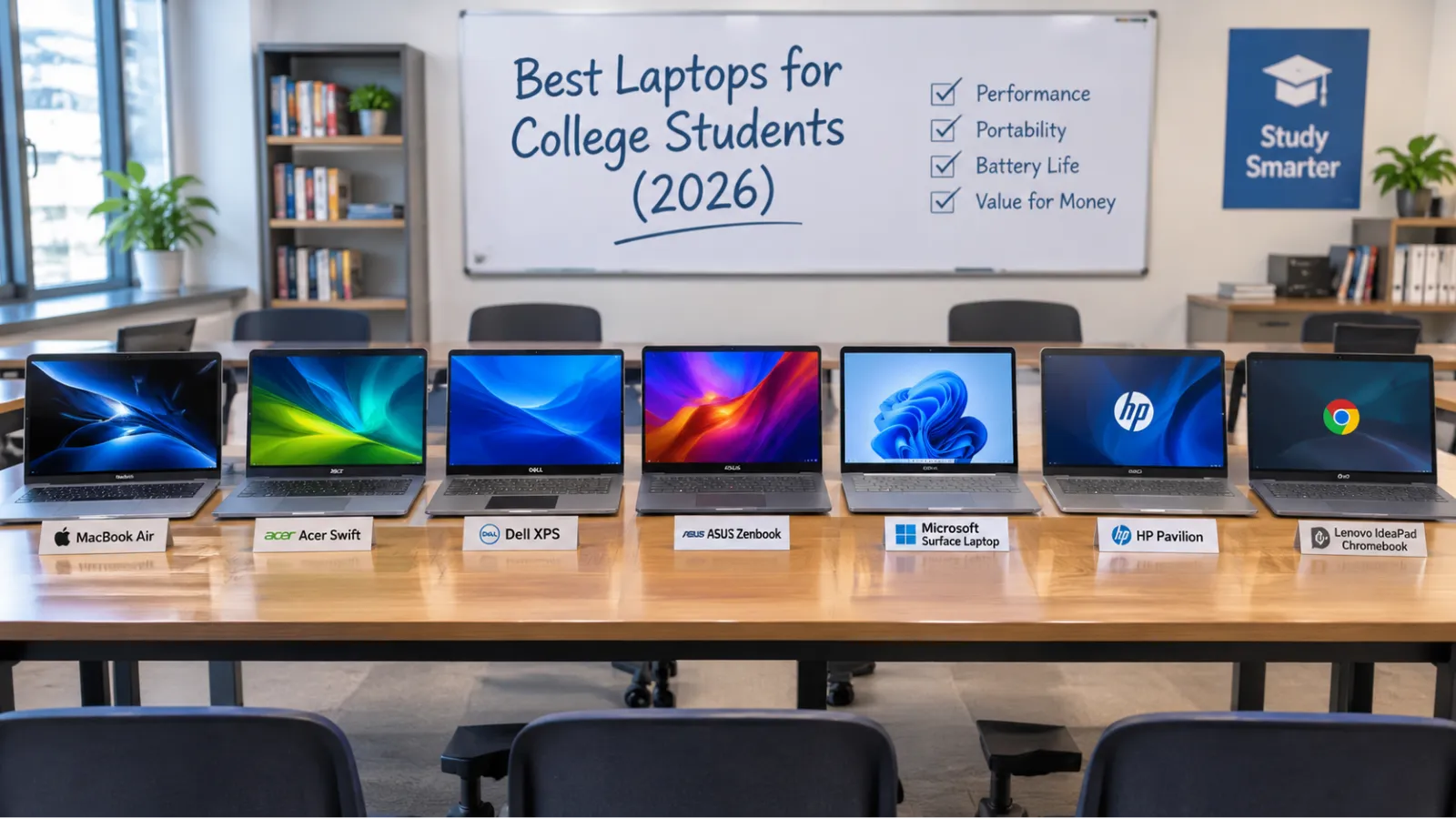
Best Laptops for College Students in 2026: 8 Top Picks for Every Budget and Major
By Shahinur Alam | Last updated: November 23, 2026 | Prices last reviewed: November 23, 2026
Quick answer: If you can spend about $1,100, buy the MacBook Air 13 (M5). If you need to spend less, the MacBook Neo, or the Dell XPS 13 with 16GB of RAM, are the best-value picks. Before you pay, check whether your major needs Windows-only software.
Choosing a college laptop is about more than the fastest processor. You need something that survives four years of lectures, library sessions and backpack trips, runs the software your classes require, and fits your budget. This guide compares eight laptops across price, major and campus rules, the three things most buying guides skip.
Editorial disclosure: This guide uses published specifications, prices and independent review results from outlets such as RTINGS, PCWorld, Tom's Guide, TechRadar and Engadget. Unless we say so, SamReview has not laboratory-tested these laptops. Prices and configurations change often and vary by retailer and region. Some links are affiliate links, which means we may earn a commission at no extra cost to you.
Quick Picks: Best Laptops for College Students
Category | Laptop | Starting price | Best for |
|---|---|---|---|
Best overall | Apple MacBook Air 13 (M5) | About $1,099 | Most students |
Best large-screen Windows | Acer Swift 16 AI | About $1,270 | Big OLED screen and battery life |
Best budget Mac | Apple MacBook Neo | About $599 to $699, varies | Everyday coursework |
Best value Windows ultraportable | Dell XPS 13 (2026) | $699 ($599 student deal) | Portability on a budget |
Best for technical coursework | ASUS Zenbook 14 OLED | About $1,120 | Programming and light CAD |
Best 2-in-1 | Microsoft Surface Pro (2025) | About $779 | Digital note-taking |
Best cheap Windows laptop | HP OmniBook 3 | About $508 | Tight budgets |
Best Chromebook | Acer Chromebook Plus 514 | About $448 | Browser-based coursework |
Our overall recommendation: The MacBook Air 13 (M5) is the safest choice for most students. But if you need Windows-only software, pick a Windows laptop instead and check your department's requirements first.
Best Laptops by Budget
Budget | Our picks |
|---|---|
Under $500 | Acer Chromebook Plus 514, HP OmniBook 3 |
$500 to $800 | MacBook Neo, Dell XPS 13 (base), Surface Pro |
$800 to $1,200 | MacBook Air 13 (M5), ASUS Zenbook 14 OLED, Dell XPS 13 (16GB) |
Over $1,200 | Acer Swift 16 AI |
Student discounts can change these tiers, so check Apple's education store, Dell's student pricing and Microsoft's education offers before you buy.
1. Apple MacBook Air 13 (M5) – Best Laptop Overall for College Students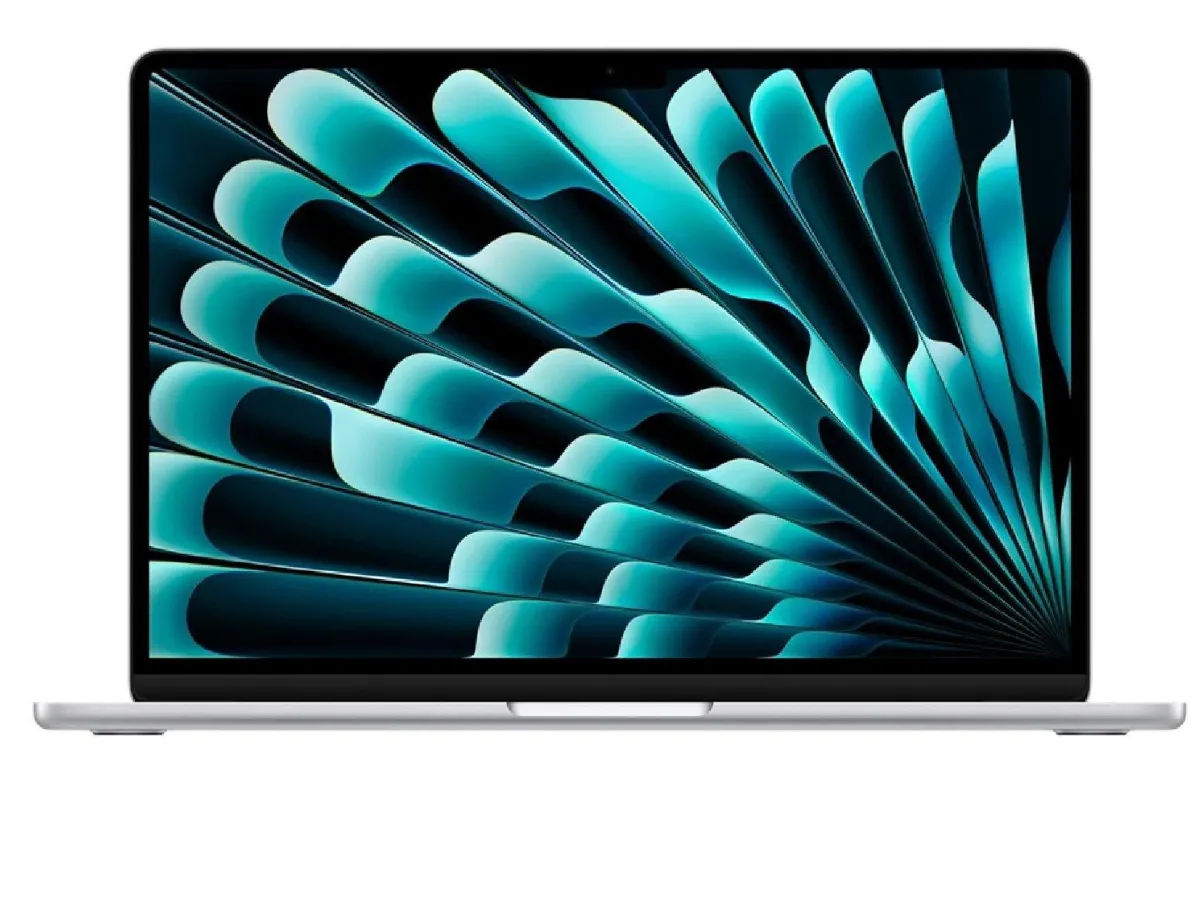
Apple MacBook Air 13-inch M5.
The Apple MacBook Air 13 (M5) is our leading overall recommendation for college students who want a portable laptop that can handle years of everyday academic work.
Its lightweight design makes it convenient to carry between classrooms, libraries, and study spaces. The M5 processor provides plenty of performance for research, document editing, presentations, programming, web browsing, and moderate creative work.
Key Specifications
Processor: Apple M5
Display: 13.6-inch Liquid Retina
Memory: 16GB starting configuration
Storage: 512GB SSD starting configuration
Operating system: macOS
Design: Thin aluminum chassis
Cooling: Fanless
Why Students Should Consider It
The MacBook Air is particularly attractive for students who spend hours writing assignments, researching online, and working with multiple applications.
Its fanless design is another advantage. It operates silently during normal academic workloads, making it suitable for quiet classrooms and libraries.
Battery life is also a major strength. Independent testing by RTINGS provides useful battery-life data, although actual runtime depends on brightness, applications, and workload.
The 13.6-inch display offers a good balance between portability and workspace. Students who regularly work with multiple documents may prefer the larger 15-inch version.
Pros
Excellent portability.
Strong everyday performance.
Silent fanless operation.
High-quality display.
Good battery endurance.
Comfortable keyboard and trackpad.
Cons
More expensive than entry-level Windows laptops.
No touchscreen.
Limited built-in connectivity.
Adapters may be necessary.
Not ideal for Windows-only applications.
Not designed for demanding AAA gaming.
Who Should Buy It?
Choose the MacBook Air if you study business, humanities, marketing, communications, general computer science, or another subject that primarily requires productivity applications.
Who Should Avoid It?
Students who depend on Windows-only engineering applications, specialized laboratory software, or particular professional programs should verify compatibility before purchasing.
SamReview Verdict: The MacBook Air M5 is our best overall recommendation for students who prioritize portability, battery life, and a polished everyday computing experience.
2. Acer Swift 16 AI – Best Windows Laptop for College Students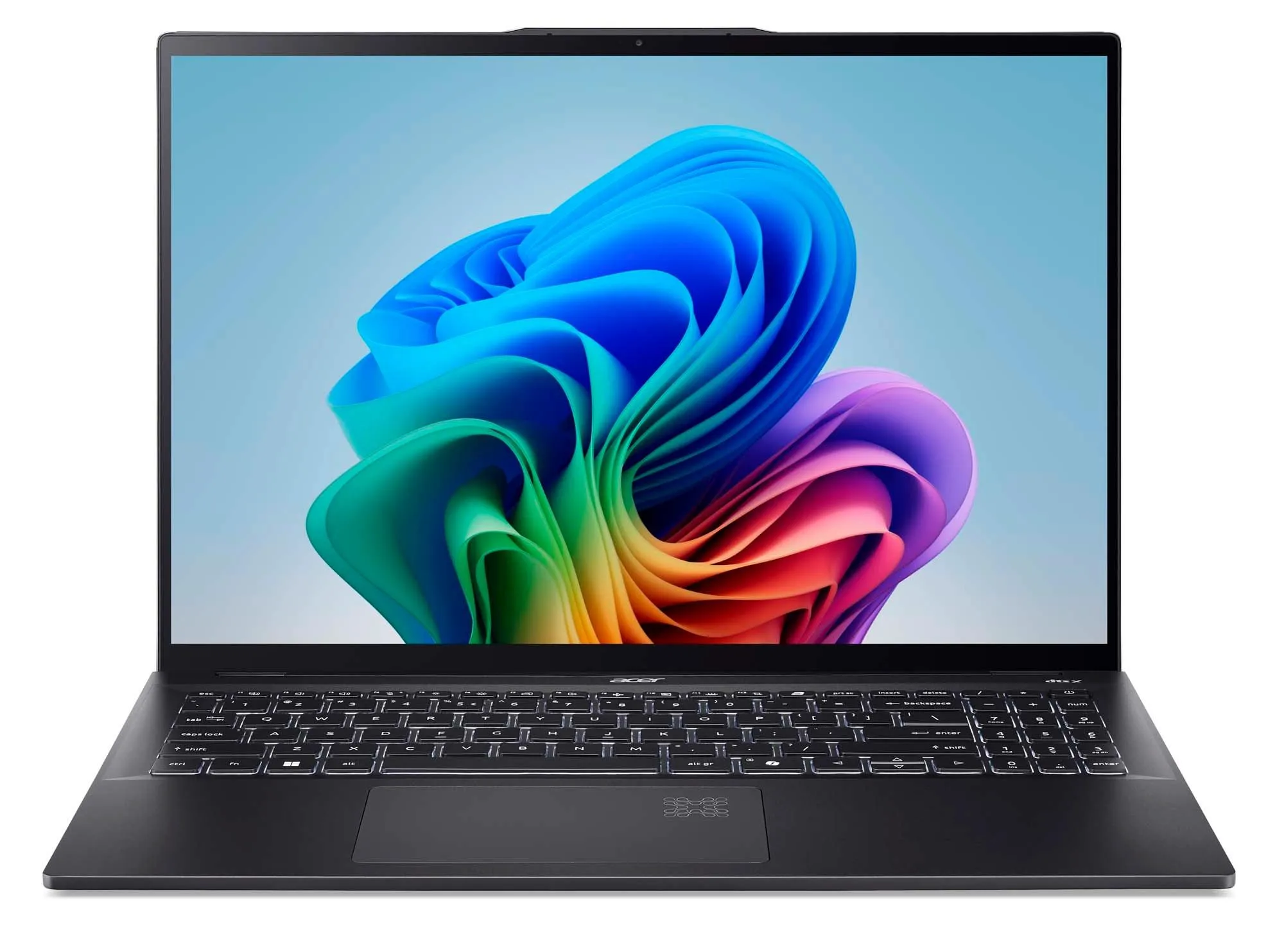
Acer Swift 16 AI with a large OLED display.
If you prefer Windows over macOS and want a larger display for studying, the Acer Swift 16 AI deserves serious consideration.
It combines a spacious 16-inch OLED display with modern Intel processing hardware, making it suitable for students who frequently work with spreadsheets, research documents, presentations, and multiple browser windows.
Key Specifications
Processor: Intel Core Ultra X7 in the reviewed configuration
Display: 16-inch OLED, 2880 × 1800
Memory: 16GB in the reviewed configuration
Storage: 1TB SSD in the reviewed configuration
Graphics: Integrated Intel graphics
Operating system: Windows 11
Weight: Approximately 3.37 pounds
Why Students Should Consider It
The large OLED display is one of its biggest advantages. It provides more workspace than a typical 13-inch laptop and offers vibrant colors for media consumption and creative tasks.
PCWorld reported up to 17.5 hours of battery life in its testing. Actual runtime will vary depending on brightness and usage.
Pros
Large, sharp OLED display.
Generous storage in the reviewed configuration.
Good everyday productivity performance.
Useful multitasking workspace.
Strong reported battery test results.
Cons
Larger footprint than ultraportable laptops.
Integrated graphics limit demanding 3D work.
OLED power consumption varies by content.
Not a dedicated workstation.
Who Should Buy It?
Students who prefer Windows, need a large screen, and regularly work with documents, presentations, spreadsheets, and creative applications should consider this laptop.
Who Should Avoid It?
Students who need dedicated GPU performance for demanding 3D rendering, advanced CAD, or professional video production should consider a laptop with a suitable dedicated graphics card.
SamReview Verdict: A strong Windows recommendation for students who value a larger OLED display, useful storage capacity, and everyday productivity.
3. Apple MacBook Neo – Best Budget MacBook for College Students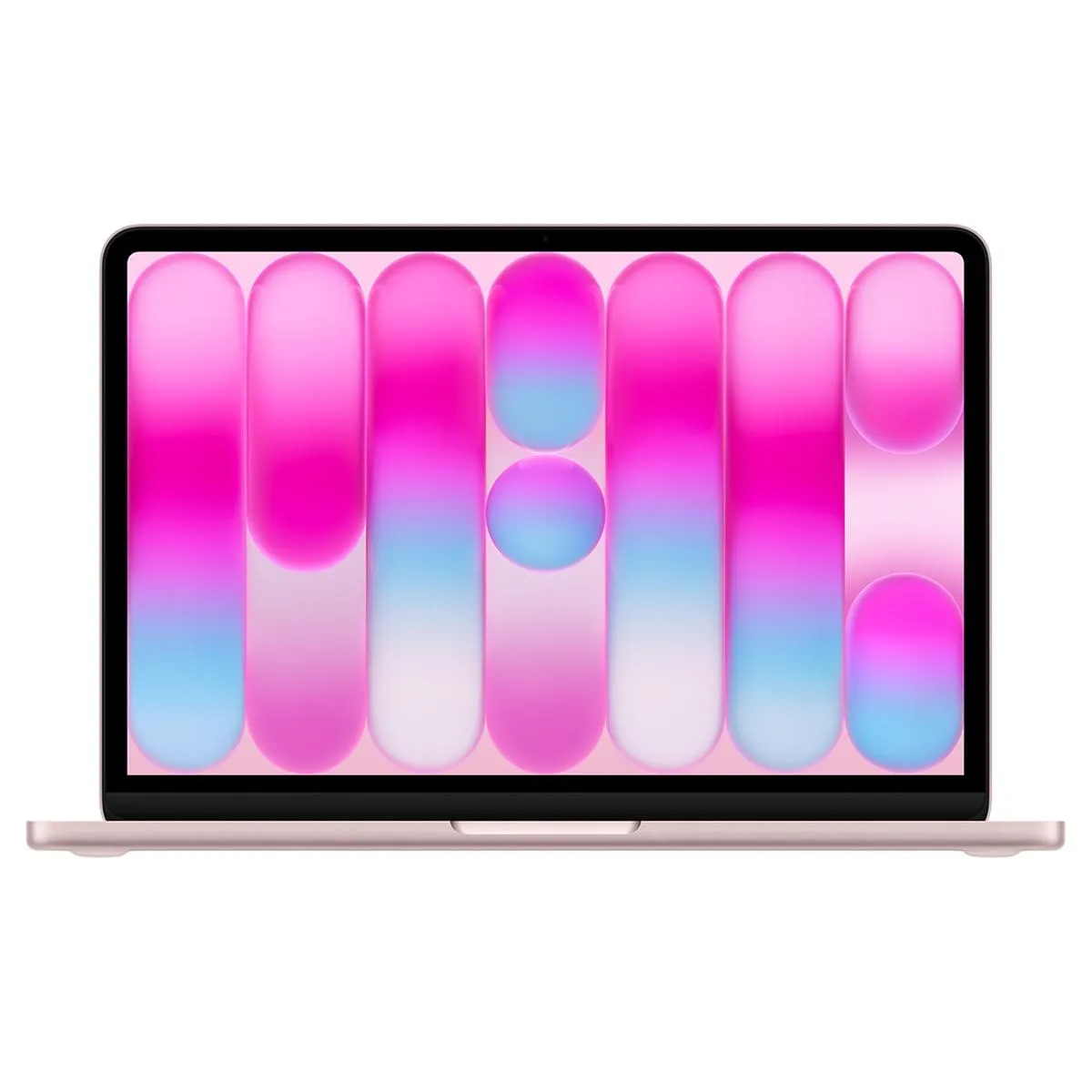
Apple MacBook Neo for everyday student work.
Not every college student needs an expensive premium laptop. For students who mainly write assignments, attend online classes, browse the internet, and create presentations, the Apple MacBook Neo offers a more affordable entry into the macOS ecosystem.
Key Specifications
Processor: Apple A18 Pro in the reviewed configuration
Display: 13-inch Liquid Retina
Memory: 8GB in the reviewed configuration
Storage: 256GB in the reviewed configuration
Operating system: macOS
Design: Compact aluminum chassis
Why Students Should Consider It
The MacBook Neo is designed for students who do not need professional workstation performance.
It can handle typical academic activities such as writing papers, browsing, streaming lectures, working with spreadsheets, and preparing presentations.
However, its 8GB non-upgradeable memory and limited storage make configuration selection especially important.
Pros
More affordable MacBook option.
Compact design.
High-quality display.
Good everyday productivity.
Suitable for common coursework.
Cons
8GB RAM in the reviewed configuration.
Limited base storage.
No touchscreen.
Limited connectivity.
Not suitable for demanding professional workloads.
Who Should Buy It?
Students who primarily use Google Workspace, Microsoft Office, web browsers, video conferencing, and everyday productivity applications.
Who Should Avoid It?
Students who regularly use resource-intensive software, professional creative applications, or Windows-only academic tools.
SamReview Verdict: An attractive budget MacBook for everyday student work, but buyers should understand its memory and storage limitations before purchasing.
4. Dell XPS 13 (2026) – Best Premium Windows Ultraportable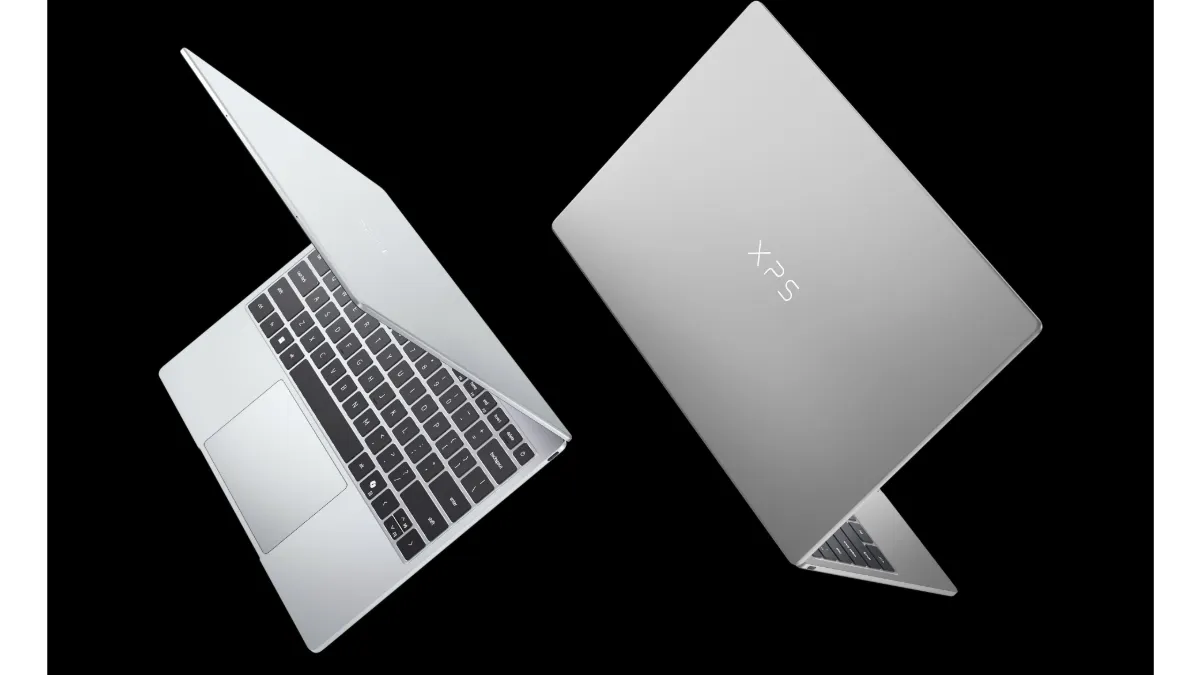
Dell XPS 13 premium compact Windows laptop.
The Dell XPS 13 is a strong option for college students who want a premium Windows experience in a compact and portable design.
Key Specifications
Processor: Configuration-dependent Intel processor
Display: 13.4-inch display options
Refresh rate: Up to 120Hz on selected configurations
Memory: Choose a 16GB configuration or higher
Operating system: Windows 11
Design: Premium ultraportable chassis
Why Students Should Consider It
Its compact construction makes it convenient for students who frequently move between classes.
RTINGS reported approximately 15 hours of web-browsing battery life for its reviewed configuration. Different configurations may produce different results.
Pros
Compact construction.
Premium design.
Responsive display options.
Good reported battery life.
Suitable for everyday productivity.
Cons
Limited built-in ports.
Small touchpad may not suit everyone.
Configuration prices can increase quickly.
Not ideal for demanding graphics workloads.
Who Should Buy It?
Students who want a premium Windows laptop for productivity, research, presentations, and everyday multitasking.
Who Should Avoid It?
Students who need a large screen, extensive ports, affordable upgrade options, or a dedicated graphics processor.
SamReview Verdict: An excellent portability-focused Windows choice, particularly when the 16GB RAM configuration is available at a competitive price.
5. ASUS Zenbook 14 OLED – Best for Engineering and Technical Coursework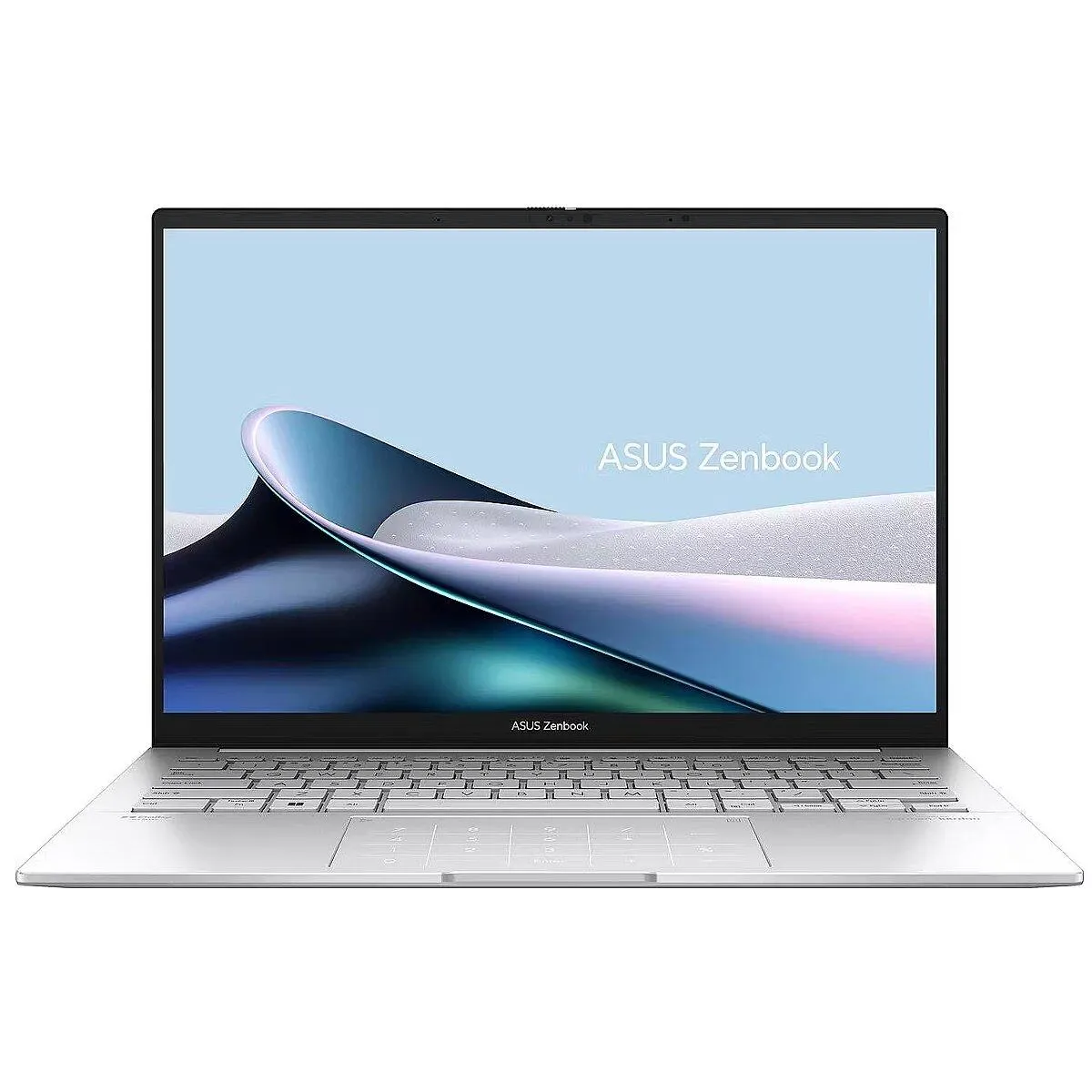
ASUS Zenbook 14 OLED for portable technical computing.
Engineering students often need more than a basic laptop. Depending on their major, they may use programming environments, mathematical tools, simulation applications, CAD software, and technical documentation.
The ASUS Zenbook 14 OLED offers a useful balance between portability and processing performance.
Key Specifications
Processor: AMD Ryzen 7 in the reviewed configuration
Display: 14-inch OLED
CPU: Configuration-dependent
Operating system: Windows 11
Graphics: Integrated graphics in the reviewed configuration
Weight: Approximately 2.82 pounds, depending on model
Why Students Should Consider It
Its compact design is convenient for students who carry their computers around campus.
The Ryzen 7 configuration provides sufficient CPU performance for programming, research, everyday development tasks, and moderate technical workloads.
However, students should not assume that every engineering application will run well simply because the processor is powerful. Some CAD, 3D rendering, and simulation workloads require dedicated graphics and more memory.
Pros
Lightweight design.
High-quality OLED display.
Good everyday processing performance.
Suitable for programming.
Convenient for campus travel.
Cons
Integrated graphics limit demanding 3D performance.
Configuration differences affect performance.
Not a replacement for a dedicated workstation.
Who Should Buy It?
Computer science students, programming learners, mathematics students, and engineering students whose software requirements are compatible with integrated graphics.
Who Should Avoid It?
Students whose coursework requires demanding 3D CAD, advanced rendering, or applications that specifically require a certified workstation GPU.
SamReview Verdict: A practical portable choice for programming and moderate technical coursework, provided your required applications do not need dedicated graphics.
6. Microsoft Surface Pro – Best 2-in-1 Laptop for College Students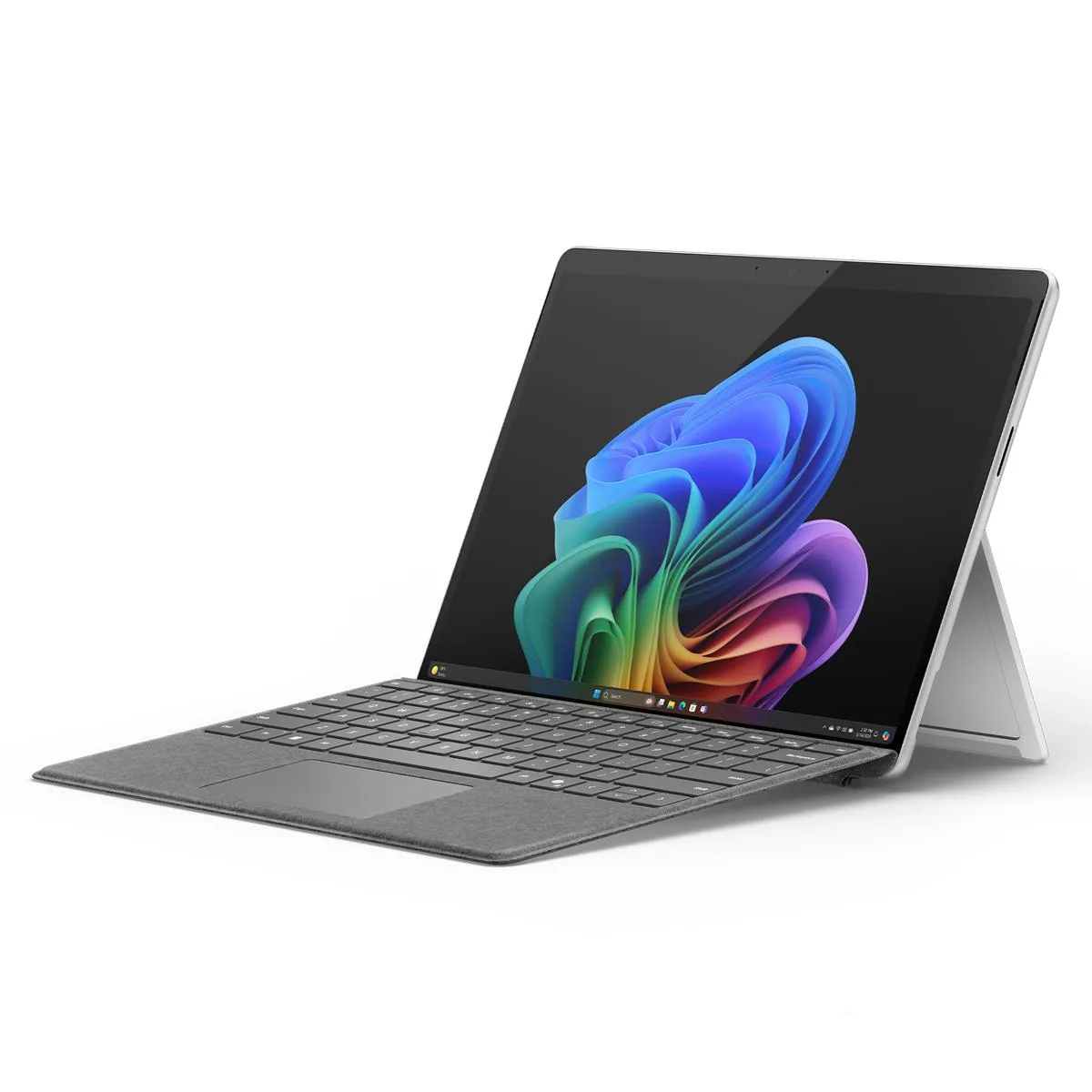
Microsoft Surface Pro with detachable keyboard.
Some students prefer writing notes directly on the screen instead of typing everything.
The Microsoft Surface Pro offers a tablet-style touchscreen experience combined with Windows functionality and a detachable keyboard.
Key Specifications
Processor: Snapdragon X Plus in the reviewed configuration
Display: 12-inch touchscreen in the reviewed model
Resolution: 2196 × 1464
Memory: Configuration-dependent
Storage: Configuration-dependent
Operating system: Windows 11
Design: Detachable 2-in-1
Why Students Should Consider It
The Surface Pro is particularly useful for students who combine typed assignments with handwritten notes, reading, and digital annotation.
Its detachable keyboard allows it to function as a tablet when needed. However, Windows on ARM compatibility should be checked before purchasing.
Pros
Versatile tablet and laptop functionality.
Touchscreen interaction.
Convenient for digital note-taking.
Compact and portable.
Suitable for everyday productivity.
Cons
Keyboard may be an additional purchase.
Small screen can restrict multitasking.
Limited built-in ports.
ARM compatibility requires checking.
Accessories increase total cost.
Who Should Buy It?
Students who prioritize handwritten digital notes, reading, presentations, and tablet-style flexibility.
Who Should Avoid It?
Students who require a traditional laptop keyboard, extensive ports, or guaranteed compatibility with older Windows applications.
SamReview Verdict: A great specialized choice for students who benefit from a touchscreen and detachable design, but compare the complete package price, including the keyboard.
7. ASUS Chromebook CX15 – Best Basic Chromebook for College Students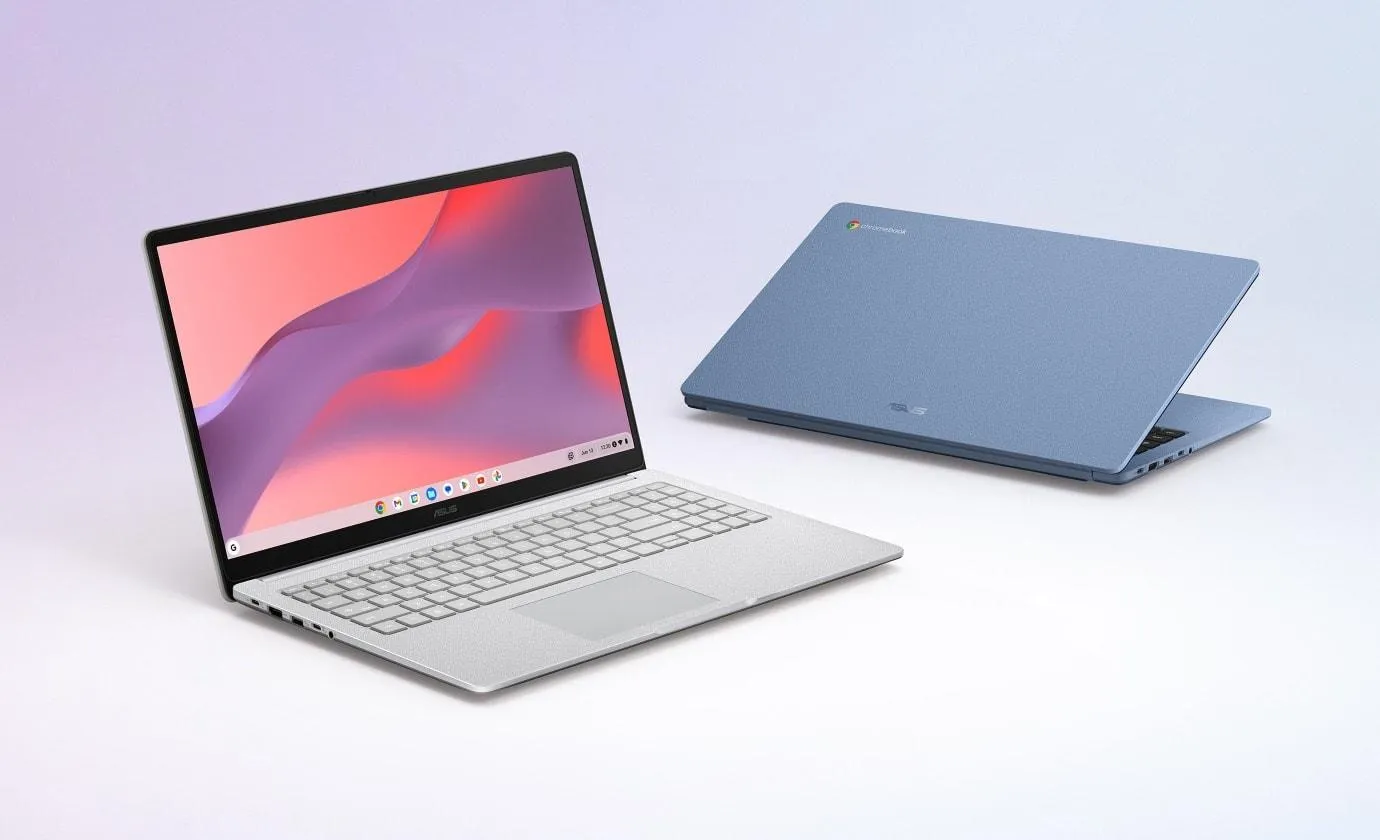
ASUS Chromebook CX15 for everyday online coursework.
If your coursework mainly happens inside a browser, a Chromebook may be enough.
The ASUS Chromebook CX15 provides a large 15.6-inch display and ChromeOS functionality for students who want a basic device for web-based academic activities.
Key Specifications
Processor: Intel N50 in the reviewed configuration
Display: 15.6-inch
Operating system: ChromeOS
Memory: 4GB in the reviewed configuration
Connectivity: USB-C and HDMI
Design: Traditional laptop
Why Students Should Consider It
A Chromebook can be a practical option for students who primarily use Google Docs, Google Sheets, online learning platforms, email, and browser-based applications.
However, the reviewed 4GB RAM configuration is restrictive for heavy multitasking. An 8GB configuration is preferable if available at a reasonable price.
Pros
Suitable for basic web-based coursework.
Large screen.
Simple ChromeOS interface.
Useful connectivity options.
Suitable for documents and online classes.
Cons
Limited performance for demanding applications.
4GB RAM restricts multitasking.
Not suitable for most Windows-only engineering applications.
Limited offline software flexibility.
Configuration-dependent upgrade options.
Who Should Buy It?
Students who primarily work online and need an affordable device for basic coursework.
Who Should Avoid It?
Students who need full desktop versions of professional software, demanding programming tools, advanced creative applications, or specialized university examination software.
SamReview Verdict: A reasonable basic Chromebook, but verify ChromeOS compatibility with your university before purchasing.
Best College Laptops Compared: Which One Should You Choose?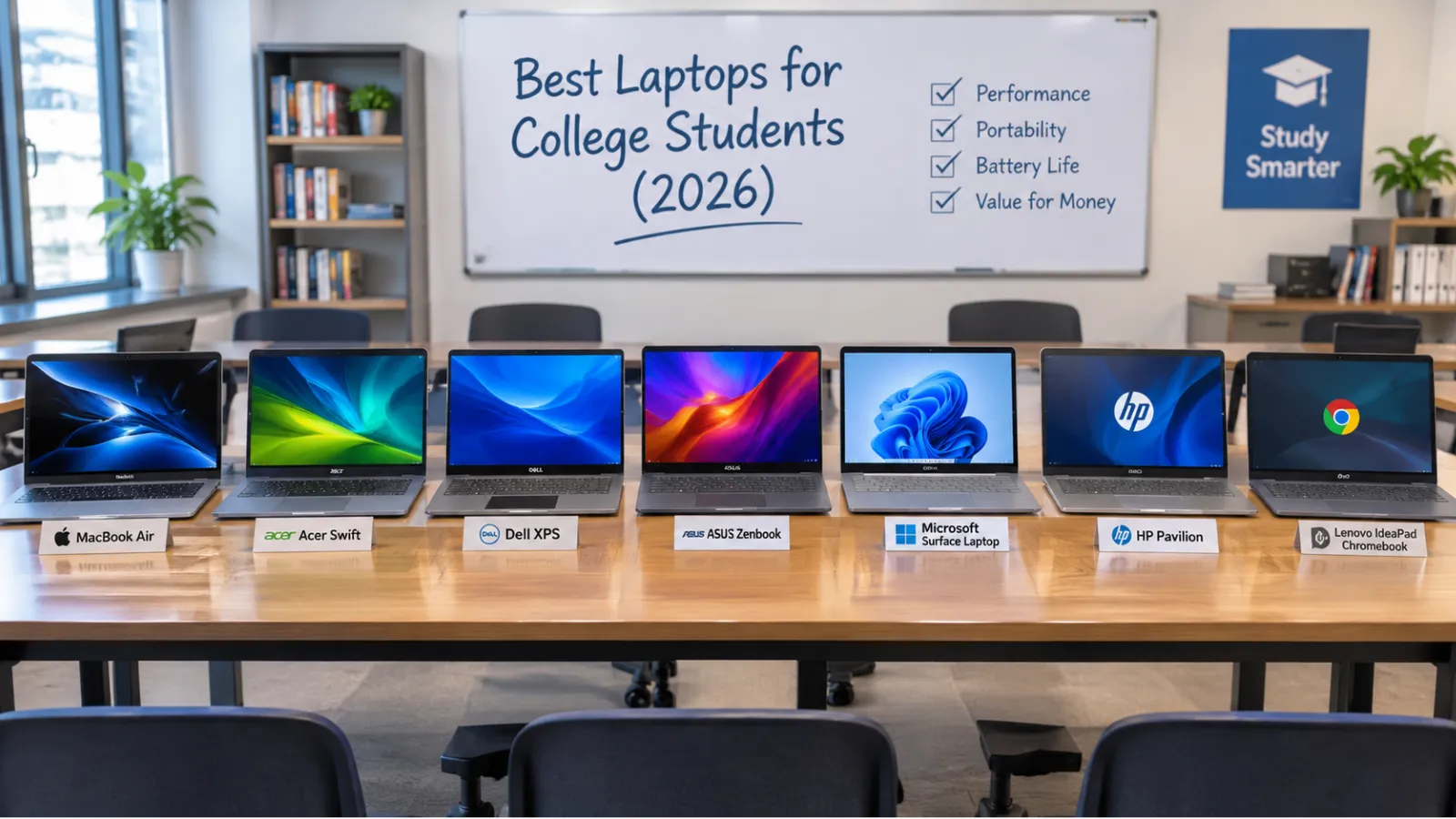
Comparing the leading laptop options for college students.
Laptop | Best For | Operating System | Main Advantage | Main Limitation |
|---|---|---|---|---|
MacBook Air M5 | Most students | macOS | Performance and portability | Limited ports |
Acer Swift 16 AI | Windows productivity | Windows | Large OLED display | Integrated graphics |
MacBook Neo | Budget Mac buyers | macOS | Affordable Mac experience | 8GB RAM |
Dell XPS 13 | Portability | Windows | Premium compact design | Small touchpad |
ASUS Zenbook 14 OLED | Technical coursework | Windows | Portable performance | Integrated graphics |
Surface Pro | Digital notes | Windows | 2-in-1 flexibility | Complete package cost |
ASUS Chromebook CX15 | Basic coursework | ChromeOS | Browser productivity | Software restrictions |
How to Choose the Best Laptop for Your College Major
The best laptop depends heavily on what you study. A business student and an engineering student may have completely different hardware requirements.
Best Laptop for Business Students
Business students generally need a comfortable keyboard, good battery life, dependable video conferencing, and enough memory for multitasking.
Recommended options:
MacBook Air M5.
Dell XPS 13.
Acer Swift 16 AI.
A 16GB RAM configuration and at least 512GB SSD are sensible targets.
Best Laptop for Computer Science Students
Computer science students may work with programming environments, databases, virtual machines, containers, and development tools.
Recommended options:
MacBook Air M5.
Dell XPS 13 with 16GB RAM.
ASUS Zenbook 14 OLED.
For more demanding development work, 32GB RAM may be worth considering. Check your course's required development tools, processor architecture, and operating system compatibility.
Best Laptop for Engineering Students
Engineering programs can require substantially more processing and graphics power.
ASUS Zenbook 14 OLED for moderate workloads.
A Windows laptop with a dedicated NVIDIA GPU for demanding CAD.
A mobile workstation when required by your university.
Before buying, check the requirements for applications such as AutoCAD, SolidWorks, MATLAB, and other department-specific software.
Best Laptop for Art and Design Students
Creative students should prioritize accurate display colors, high resolution, adequate RAM, fast SSD storage, graphics performance, and pen or touchscreen support when needed.
A MacBook Air may be suitable for moderate creative work. More demanding video editing, 3D rendering, and professional graphics workflows may require a MacBook Pro or a dedicated-GPU Windows laptop.
Best Laptop for Humanities and General Studies
Students studying literature, history, social sciences, and similar subjects usually do not need expensive workstation hardware. A dependable laptop with 16GB RAM, a comfortable keyboard, good battery life, and a 512GB SSD should be more than enough for most everyday academic work.
What Laptop Specifications Do College Students Really Need?
1. RAM: How Much Memory Do You Need?
RAM | Recommendation |
|---|---|
4GB | Avoid for a primary college laptop |
8GB | Basic coursework and light use |
16GB | Best starting point for most students |
32GB | Programming and demanding multitasking |
64GB | Specialized professional workloads |
Our recommendation: Choose 16GB RAM whenever your budget allows. For demanding development or engineering workloads, consider 32GB. Also check whether the memory is upgradeable or permanently soldered.
2. Storage: 256GB or 512GB?
256GB: Basic coursework with cloud storage.
512GB: Recommended for most students.
1TB: Better for large projects, creative files, and offline media.
An SSD is essential. Avoid relying on slow traditional hard drives as your primary storage.
3. Processor: Intel, AMD, or Apple?
Intel Core: Broad Windows laptop availability and compatibility.
AMD Ryzen: Strong options for productivity and multitasking.
Apple M-series: Efficient performance within macOS.
Qualcomm Snapdragon: Attractive battery-efficient Windows options, but check ARM compatibility.
4. Battery Life
A student laptop should ideally last through several classes without requiring constant charging. Look beyond manufacturer claims and compare independent web-browsing and productivity tests.
5. Display Size
13–14 inches: Best for portability.
15–16 inches: Better workspace for multitasking.
17 inches and above: Less convenient for everyday campus travel.
6. Weight and Portability
For regular commuting, consider a device around 3 pounds or lighter if your budget permits.
7. Webcam and Keyboard
A good webcam improves online classes and group meetings. A comfortable keyboard makes long writing sessions less tiring. A backlit keyboard is especially useful when studying in dim environments.
macOS vs Windows vs ChromeOS: Which Is Best for College?
macOS
Best for students who value battery efficiency, portability, and a polished ecosystem.
Strong everyday performance.
Excellent integration with other Apple devices.
Good battery efficiency.
Some specialized Windows software is unavailable.
Hardware upgradeability is limited on many models.
Windows
Best for students who need broad application compatibility.
Extensive hardware choices.
Wide range of price points.
Support for many engineering applications.
Greater choice of dedicated-GPU laptops.
Battery life varies significantly by model.
ChromeOS
Best for students whose work primarily happens online.
Simple interface.
Good Google services integration.
Suitable for browser-based coursework.
Limited specialized desktop software compatibility.
Offline functionality varies by application.
Our advice: Do not choose an operating system based only on popularity. Check the software your university requires first.
How Much Should You Spend on a College Laptop?
Your ideal budget depends on your academic requirements, location, and available student discounts.
Budget Level | What to Look For |
|---|---|
Entry-level | 8GB RAM, SSD, basic coursework compatibility |
Mid-range | 16GB RAM, 512GB SSD, modern processor |
Premium | 16–32GB RAM, quality display, excellent battery |
Specialized | 32GB RAM or more, dedicated GPU if required |
Prices differ considerably between the United States and international markets. Import taxes, warranty coverage, retailer availability, and regional configurations can change the final purchase cost.
Students in Bangladesh should compare authorized local retailers, official warranty terms, and imported-device pricing before making a decision.
Common Laptop Buying Mistakes College Students Should Avoid
Buying 4GB RAM for a laptop expected to last several years.
Choosing a Chromebook without checking university software compatibility.
Paying extra for a gaming GPU when academic work does not require one.
Ignoring battery life and laptop weight.
Buying a laptop with insufficient SSD storage.
Assuming every Windows application works on ARM-based processors.
Ignoring the cost of accessories, adapters, and detachable keyboards.
Buying an older model without comparing newer alternatives.
Ignoring warranty coverage and repair availability.
Purchasing a laptop without checking whether its RAM can be upgraded.
How We Evaluate and Recommend College Laptops
Our selection process focuses on the factors that make a meaningful difference to students.
Performance
Whether the processor and memory configuration can handle everyday academic tasks and more demanding workloads.
Battery Life
Published independent battery testing and realistic expectations for classroom use.
Portability
Weight, dimensions, and convenience when carrying the laptop between classes.
Display
Resolution, brightness, color quality, and screen size.
Keyboard and Touchpad
Comfort for long writing sessions and everyday navigation.
Compatibility
Whether the operating system supports the software commonly used in different academic programs.
Value
Whether the laptop offers a sensible combination of hardware, usability, and price.
We also consider independent reviews and published testing from specialist publications. Unless explicitly identified as hands-on testing, our product assessments should not be interpreted as SamReview laboratory test results.
Frequently Asked Questions
1. What is the best laptop for college students in 2026?
The Apple MacBook Air 13 (M5) is our overall recommendation for students who want a portable laptop with strong everyday performance and good battery life. Students who need Windows-specific applications should consider the Acer Swift 16 AI or Dell XPS 13.
2. Is 8GB RAM enough for college?
8GB can handle basic writing, browsing, and online classes. However, 16GB is a better long-term choice for multitasking, programming, and demanding academic applications.
3. Is a MacBook better than a Windows laptop for college?
Neither is universally better. MacBooks offer excellent battery efficiency and a polished user experience, while Windows laptops provide broader hardware choices and compatibility with many engineering applications.
4. Are Chromebooks good for college students?
Yes, if your academic activities mainly involve browser-based applications, Google Workspace, and online learning. They are less suitable for courses that require specialized desktop software.
5. Do engineering students need a gaming laptop?
Not necessarily. Some engineering applications work well with modern integrated graphics. However, demanding CAD, 3D rendering, and simulation workloads may require a dedicated GPU.
6. What is the ideal laptop screen size for college?
A 13- or 14-inch laptop is ideal for portability. A 15- or 16-inch laptop provides more workspace for multitasking and technical coursework.
7. How much storage should a college laptop have?
512GB SSD is a sensible target for most students. A 256GB SSD may be sufficient for basic coursework with cloud storage, while creative students may need 1TB or more.
8. How long should a college laptop last?
A well-maintained laptop can often remain useful throughout a four-year degree, depending on its hardware, software requirements, battery condition, and repairability.
9. Should I buy a touchscreen laptop for college?
A touchscreen is useful for digital note-taking, drawing, and tablet-style interaction. However, it is not essential for most students.
10. Should I buy a gaming laptop for college?
Only if you need gaming performance or a dedicated GPU for academic applications. Gaming laptops are often heavier, noisier, and less convenient for everyday campus travel.
11. Is a refurbished laptop worth buying for college?
A refurbished laptop can offer good value if it comes from a reputable seller, includes a reliable warranty, and has a healthy battery. Check its condition and upgradeability before purchasing.
12. What is the best laptop for college students on a tight budget?
The MacBook Neo is worth considering for students who prefer macOS. For lower-cost Windows options, compare current entry-level laptops with at least 8GB RAM and an SSD. A Chromebook may also work for basic browser-based coursework.
Final Verdict: Which College Laptop Should You Buy?
The best college laptop is the one that matches your major, budget, and everyday requirements.
Best Overall: Apple MacBook Air 13 (M5).
Best Windows Overall: Acer Swift 16 AI.
Best Budget Mac: Apple MacBook Neo.
Best Premium Windows: Dell XPS 13.
Best for Technical Coursework: ASUS Zenbook 14 OLED.
Best 2-in-1: Microsoft Surface Pro.
Best Basic Chromebook: ASUS Chromebook CX15.
For most students, we recommend prioritizing 16GB RAM, an SSD, dependable battery life, and a comfortable keyboard rather than paying extra for specifications you may never use.
Before purchasing, confirm your university's software requirements, compare available configurations, and check local warranty coverage.
The Bottom Line: The smartest college laptop purchase is not necessarily the most powerful one. It is the one that helps you study effectively without exceeding your budget.
✍️ More from Shahinur alam
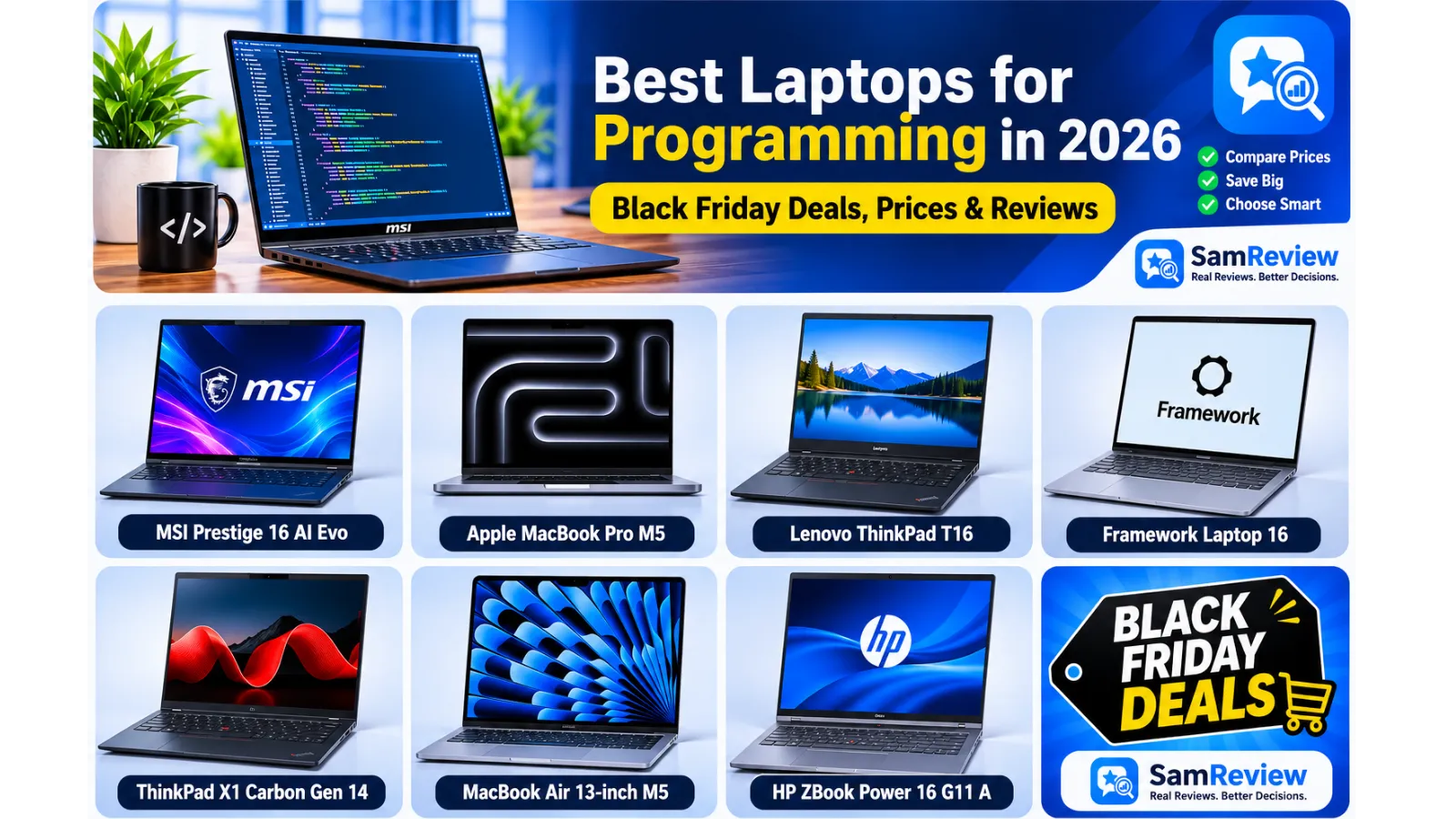
Best Laptops for Programming in 2026: Black Friday Deals, Prices & Reviews

Best Budget Laptops Under $500 in 2026

Best Black Friday TV Deals 2026: 7 TVs Worth Buying, Reviews
Black Friday Laptop Deals 2026: Best Prices & What to Skip

Microsoft Global Outage Disrupts Outlook, Teams and 365: What Happened?

5 iPhone Security Settings to Change Now to Protect Your Privacy
Reviews & Comments (0)
No comments yet. Be the first to share your thoughts!
Shahinur alam
Shahinur Alam is a Senior Tech Analyst and the Lead Reviewer at SamReview. With over 14 years of hands-on experience in the consumer electronics industry, he specializes in testing and evaluating laptops, smartphones, and AI hardware. Before joining SamReview, Shahinur worked as a hardware specialist, where he developed a deep understanding of GPU architectures, memory bandwidth, and local AI workloads. He is passionate about breaking down complex technical specifications into easy-to-understand buying advice for everyday users. When he's not benchmarking the latest gadgets, Shahinur enjoys building custom PCs and exploring the latest trends in artificial intelligence.
Read Next
View All →Best Laptops for Programming in 2026: Black Friday Deals, Prices & Reviews
Find the best laptops for programming in 2026 with Black Friday prices, regular price comparisons, savings, specifications, pros and cons.
Best Budget Laptops Under $500 in 2026
Find the best budget laptops under $500 in 2026. Compare Acer, ASUS, Lenovo and Chromebook options, with pros, cons and buying advice.
Best Black Friday TV Deals 2026: 7 TVs Worth Buying, Reviews
Find the best Black Friday TV deals 2026. Compare LG, Samsung and Sony OLED, QLED and Mini LED TVs, prices, pros, cons and buying options.

How to Use ChatGPT for Free (2026): Complete Beginner's Guide
Learn how to use ChatGPT for free in 2026. Discover how to create an account, write better prompts, use AI tools, generate images, and get more done without paying.